




01 Oct 2026
UI/UX
SaaS User Onboarding: How to Turn Signups Into Activated, Paying Users


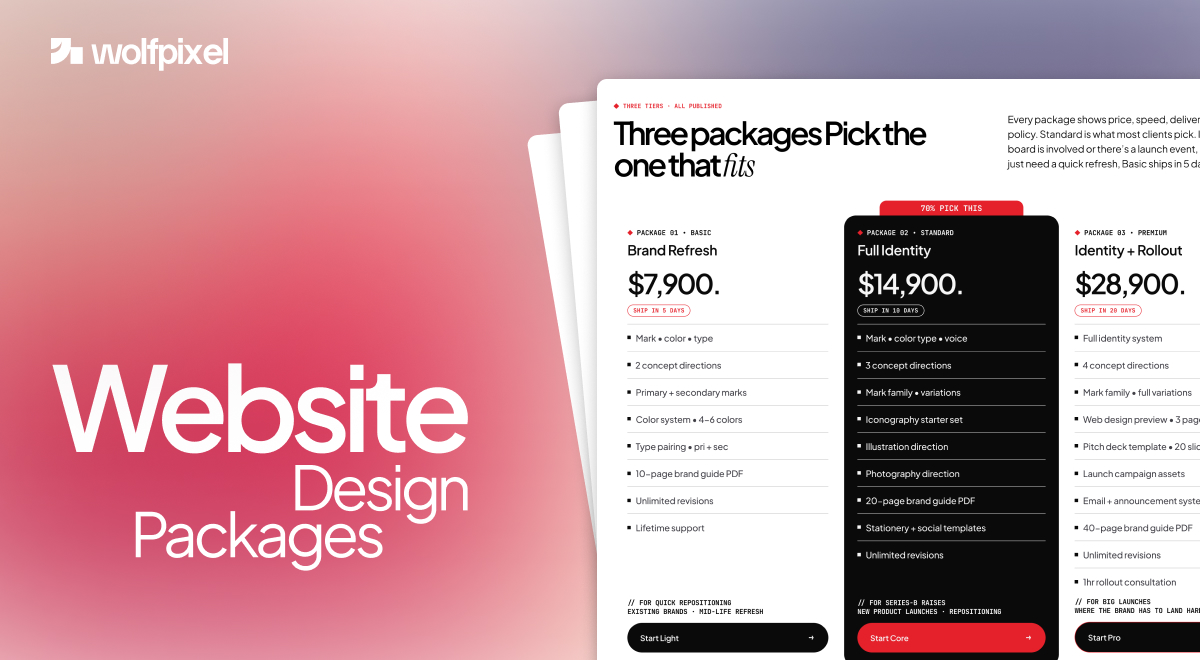
Website design packages bundle design, build, and often hosting and SEO into one set price, and in 2026 they run from about 500 dollars for a simple template site to 25,000 dollars and up for a fully custom build. Most small businesses land between 2,500 and 7,500 dollars. The wide range is not random, it reflects one thing, how much of the work is truly custom versus templated.
The real problem is not the price, it is the language. Two quotes can both say website design package and mean completely different things, because terms like mobile responsive, SEO optimized, and custom design show up in almost every tier regardless of quality. Research from HubSpot has found that a large share of small businesses later regret their package choice, usually because they overpaid for features they did not need or underpaid and missed the ones that mattered. This guide is written to prevent that.
I run a design studio, so I have scoped and priced a lot of these packages from the inside. Below is the honest version, what a package actually includes, what the marketing words really mean, the real price tiers, the costs that hide below the quote, and how to match a package to what your site needs to do. No sales pitch, just what I would tell a friend.
A website design package bundles several services into one price so you are not buying design, development, and setup separately. The trouble is that packages vary wildly in what sits inside, so here are the parts that actually define one. Read these as the checklist to hold any quote against.
Page count. Packages usually cover three to twenty pages. A simple site needs a home, about, services, and contact page, while an online store adds product and checkout pages. More pages mean more time and more cost, so pay for the pages that earn their place.
Revision rounds. Most packages include two or three rounds of changes, and premium tiers may offer more. Confirm what counts as one revision and what triggers an extra fee, since this is a common source of surprise bills.
Responsive and mobile design. With more than half of web traffic now coming from mobile, a package should be mobile first, not just technically responsive. There is a real difference, and the next section explains it.
Custom versus template. A template package is faster and cheaper but can look like everyone else, while a custom design costs more and takes longer but fits your brand and scales as you grow. Neither is wrong, the point is knowing which one you are buying.
SEO and CMS basics. A solid package includes on page SEO foundations and a content management system like WordPress or Webflow so you can update the site yourself. Ask whether SEO means real groundwork or just a few meta tags.
Hosting, domain, and content ownership. Decide whether the agency manages hosting and the domain or you keep them yourself. Just as important, ask who owns the site, the design files, and the content after launch, since some agencies keep ownership or only license assets to you. Get the answer in writing before work starts.
Timeline. Template sites can launch in a couple of weeks, while custom builds usually run a few weeks to a few months across planning, design, build, testing, and launch. A good package breaks this into milestones so you always know what happens next.
The words in a package description often sound the same while meaning very different things, and decoding them is how you compare quotes fairly. Ask providers to define these three in writing.
Mobile responsive. At the low end this can mean a template that simply shrinks to fit a phone, with tiny text and cramped buttons, while true mobile optimization means readable text, touch friendly buttons, fast loading, and a layout designed for how people actually use phones. Since more than half of visitors are on mobile and many leave a site that takes over three seconds to load, this difference decides whether the site converts.
SEO optimized. In a basic package this often means only title tags and meta descriptions, while a real SEO foundation includes site speed, clean structure, schema markup, and local setup. Many agencies then sell ongoing SEO separately, so clarify what is built in versus what becomes a monthly cost.
Custom design. This can range from a lightly edited template to a genuinely bespoke design. Ask to see the difference in their portfolio, because the word alone tells you nothing about the work behind it.
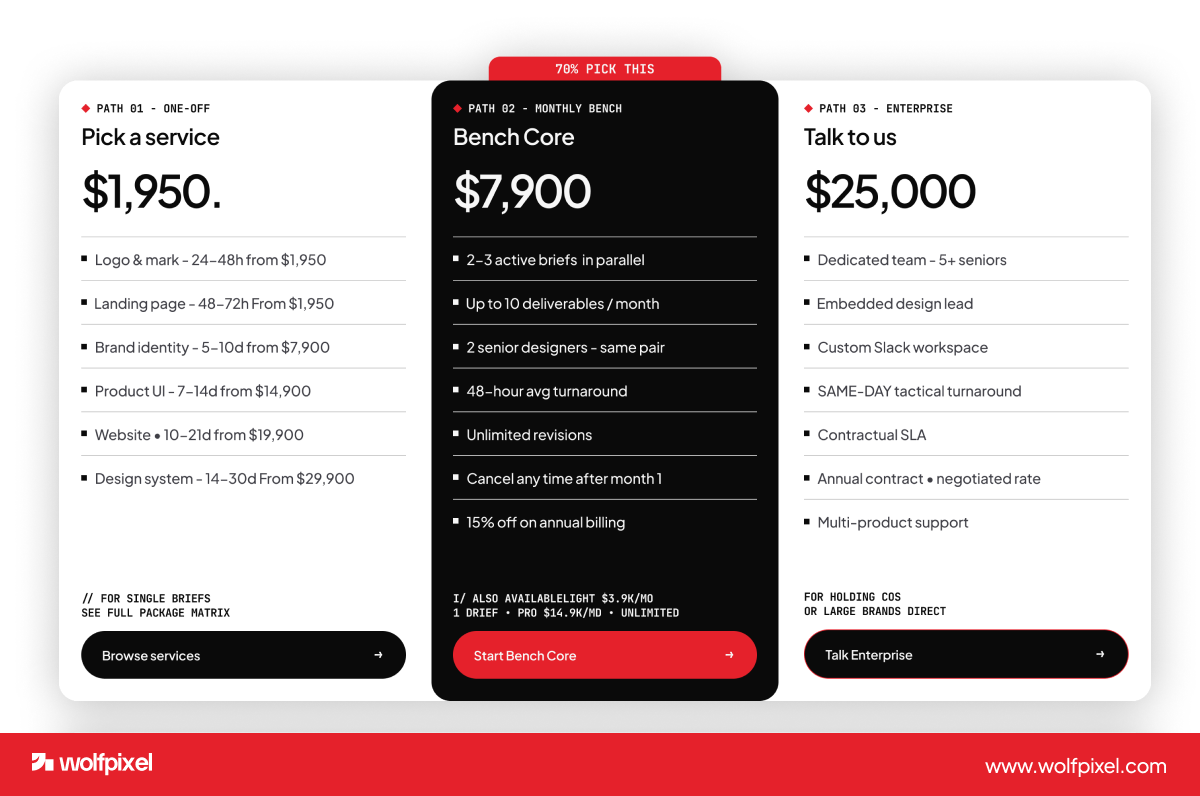
Website design package prices in 2026 fall into clear tiers, and knowing them keeps you from overpaying or underbuying. The table below shows what each level costs and what you actually get.
For context on what is normal, the Clutch 2026 survey found that 61 percent of small businesses spent under 10,000 dollars on their most recent site, and 84 percent spent under 20,000 dollars. So if you are a typical small business, the professional tier is where you will likely live.
For transparency, our own fixed packages start at $1,950 for a launch-ready landing page, and our subscriptions start at $3,900 a month.
Most packages come in a few flavors, and picking the right type matters as much as the price. Match the package to the job your site has to do.
Small business website design packages usually run 2,000 to 9,000 dollars and focus on credibility and easy contact for local businesses, consultants, and service providers. Affordable website design packages at the budget end trade custom design for speed, which is fine when you just need a clean presence fast. WordPress website design packages typically run 2,000 to 10,000 dollars and are popular because WordPress makes it easy to update content yourself later. Ecommerce packages start higher, often 5,000 to 50,000 dollars and up, because product catalogs, checkout, and integrations add real complexity. And website design and SEO packages bundle the build with on page SEO foundations, with ongoing SEO usually priced as a separate monthly retainer.
For industry-specific numbers, see what a law firm website or a healthcare website typically costs, or website design packages in Portland.
The price of a website design package comes down to scope, not luck. The number of pages, how custom the design is versus a template, whether copywriting and content are included, extra features like ecommerce or CRM integration, the platform, and the experience of the team all move the figure up or down. In my experience scoping these, the single biggest swing is content, since professional copy and images can add a few thousand dollars whether you write them or the team does.
The costs that catch people out are the ones no one quotes upfront. Hosting, a domain, an SSL certificate, plugin and software renewals, and ongoing maintenance all add up after launch. This is why the cheapest build is rarely the cheapest choice. Businesses often face a 30 to 50 percent higher total cost over three years when a bargain site leads to fixes, poor conversions, and an early rebuild. Put plainly, a cheap package is a payment plan you did not agree to. Compare what is included, not just the headline price.
The right tier is the one that matches how much your website actually matters to your revenue, not the one that sounds most impressive. I use a simple three question test with clients, and it works just as well on your own.
Revenue the site influences. If your website drives under 50,000 dollars a year, a budget or starter package is often enough. Between 50,000 and 250,000 dollars, the professional tier tends to pay for itself. Above 250,000 dollars, premium quality usually earns its cost back.
Mobile traffic share. If most of your visitors are on phones, mobile optimization stops being optional, so lean toward professional or premium rather than a basic template that merely resizes.
Competition. In a crowded market, a stronger, more custom site helps you stand out, while in a quiet niche a clean, simple package can do the job.
If the budget is tight, a phased approach works well. Launch a small, well optimized site that converts, then add pages, content, and features later once it proves its value. Spending everything on pages you do not yet need is one of the most common ways to waste a budget.
The most common package mistake is not overpaying or underpaying, it is buying vagueness. Get the scope in writing, then watch for these traps.
Choosing on price alone. The cheapest quote often hides poor mobile performance and a build you will rebuild within a year or two. Value comes from results, not the lowest number.
Overbuying features you will not use. Research suggests a large share of premium features go untouched by small businesses. Put your budget into the pages and mobile experience that convert, not animations and add ons you do not need.
Accepting vague promises. If a quote will not specify pages, revisions, SEO scope, support, and ownership, you are buying a promise, not a package. Ask for specifics, and treat defensive answers as a red flag.
Forgetting ongoing costs. Factor in hosting, maintenance, and updates from the start, so the site does not launch and then stall for lack of upkeep.
A good provider welcomes these questions and answers them plainly. That openness tells you more about who to trust than any polished pitch.
Save this list and ask every provider the same questions, since matching answers side by side is the only way to compare two quotes fairly. These eight cut straight through the vague language.
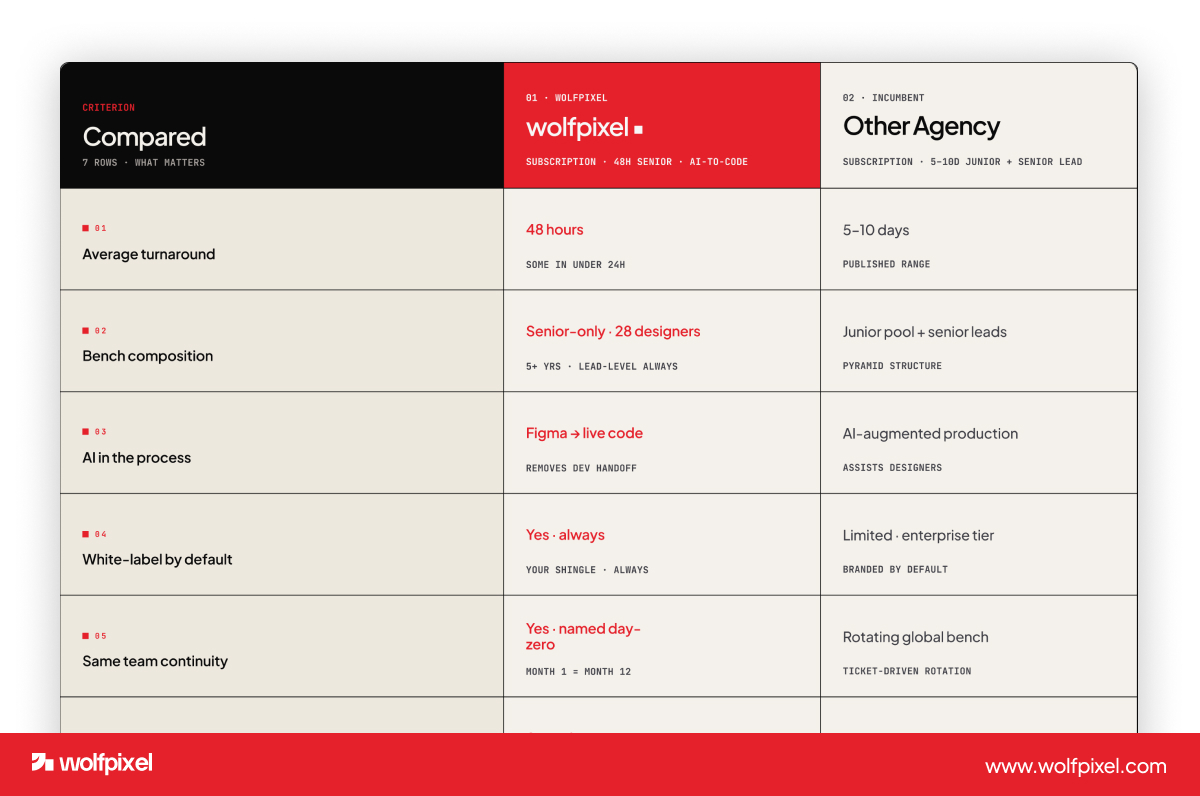
Choose a one time project when you have a defined scope and a fixed launch, and choose a monthly subscription when the site will keep evolving. A project gives you a clear deliverable for a set price, which suits a straightforward build. A subscription spreads the cost, skips the large upfront bill, and keeps a designer on hand to improve the site over time, which suits growing businesses that treat the website as a living asset rather than a one off.






.svg)



.svg)

.svg)

.svg)

.svg)

.svg)
.svg)
