



October 19, 2026
Mobile App Design
App Design Inspiration: 15 Real Projects & The Lessons Behind Them



To reduce SaaS churn, find out why customers leave, then fix the causes in the product, not only in your emails and discounts. The biggest levers are shortening time-to-value in onboarding, driving adoption of the features that make users stay, showing customers the value they're getting, and recovering failed payments. Measure churn by segment and cohort, fix the largest cause first, and treat retention as an ongoing product process rather than a one-off campaign.
Most advice on churn starts at the end of the customer journey: cancellation surveys, win-back emails, discounts. Those help at the edges. But by the time a customer clicks "Cancel," the decision was usually made weeks earlier, in an onboarding flow they didn't finish, a feature they never found, or a dashboard that never showed them why they were paying.
I'm Maniruzzaman Jubayer, COO & Co-founder at Wolfpixel. For six-plus years I've designed SaaS, fintech and AI products for founders and growth teams: onboarding flows, dashboards, task management tools, CRMs and billing experiences. Much of that work starts with a version of the same brief: "People sign up, but they don't stick."
This guide is written for founders, product leaders and heads of growth who want to reduce SaaS churn at its source. It covers why users churn, how to measure churn and read benchmarks honestly, the product and UX changes that improve retention, the retention strategies outside the product that still matter, a 90-day plan you can start this quarter, and how to judge whether you need outside design help.

Churn falls into two very different categories, and they need different fixes.
Involuntary churn is easy to underestimate. Recurly’s churn benchmarks distinguish voluntary and involuntary churn. Measure their share in your own customer base before prioritizing payment recovery.
Cancellation reasons are useful evidence, but they need context. Treat the possibilities below as hypotheses and validate them with customer interviews and product usage data.
| What the customer says | Possible underlying cause | Where it gets fixed |
|---|---|---|
| "We weren't using it enough" | They never reached the first meaningful outcome | Onboarding and activation |
| "Too expensive" | Perceived value is lower than price, often because value is invisible | Value reporting, pricing and packaging |
| "Too complicated" | Navigation, information architecture or setup effort is too high | UX and product structure |
| "Missing a feature" | Sometimes true. Often the feature exists but they never found it. | Feature discovery and adoption |
| "Switched to a competitor" | A competitor solved the core job more simply | Product strategy and positioning |
| "Our team didn't adopt it" | Only one champion used the product, so it never became part of the team's routine | Multi-user onboarding, collaboration features |
| "Business closed / project ended" | Genuine fit or lifecycle churn | Largely unavoidable; offer a pause or downgrade |
In my experience, the UX problems that cause churn are rarely dramatic. They're small, repeated frictions: a setup step that needs an engineer, a dashboard that shows data but no answer, a key feature three clicks deep with no label that explains it. Each one looks minor in a design review. Together, they make a product feel like work, and people cancel products that feel like work.
That's also why "why users churn" questions are better answered by watching users than by reading cancellation surveys. Survey answers tell you what customers say. Session recordings, usability tests and product analytics show you where they got stuck.
For related acquisition friction, see why your SaaS product isn’t converting.
Talk with Wolfpixel about onboarding, navigation and product experiences that help customers reach value.



You can't reduce what you don't measure consistently. Track at least these four numbers.
Customer (logo) churn rate
Customers lost during the period ÷ Customers at the start of the period × 100
Example: You start the month with 400 customers and lose 12. Your monthly customer churn is 12 ÷ 400 = 3%.
Gross revenue churn (MRR churn)
(Churned MRR + Contraction MRR) ÷ MRR at the start of the period × 100
Net revenue retention (NRR)
(Starting MRR + Expansion − Contraction − Churned MRR) ÷ Starting MRR × 100
An NRR above 100% means expansion within the existing customer cohort exceeds contraction and churn. Exclude revenue from new customers. NRR alone does not establish overall product health.
Activation rate
New users who reach your defined "aha" action ÷ Total new signups × 100
Define activation over a consistent time window and keep the unit consistent: users or accounts. Activation can be a useful leading indicator when your cohort data shows that it predicts retention.
Monthly churn compounds. Here's what different monthly customer churn rates mean over a year:
| Monthly churn | Customers lost over 12 months (compounded) |
|---|---|
| 1% | ~11% |
| 2% | ~22% |
| 3% | ~31% |
| 5% | ~46% |
| 7% | ~58% |
A few points of monthly churn quietly erase a large share of your customer base every year. That's why reducing churn often does more for growth than adding more top-of-funnel traffic.
Benchmarks provide context, not a target for every business. Recurly splits voluntary and involuntary churn; Baremetrics’ open benchmarks offer another subscription-business reference. Check each dataset’s methodology and filters before comparing it with your business.
Before comparing your number to any benchmark, check three things:
My practical advice: your most useful benchmark is your own cohort data. If each new monthly cohort retains a little better than the one before, and the curve flattens earlier, your retention work is paying off, whatever an industry average says.
Churn is a lagging metric. By the time it moves, the damage is done. Watch these earlier signals:
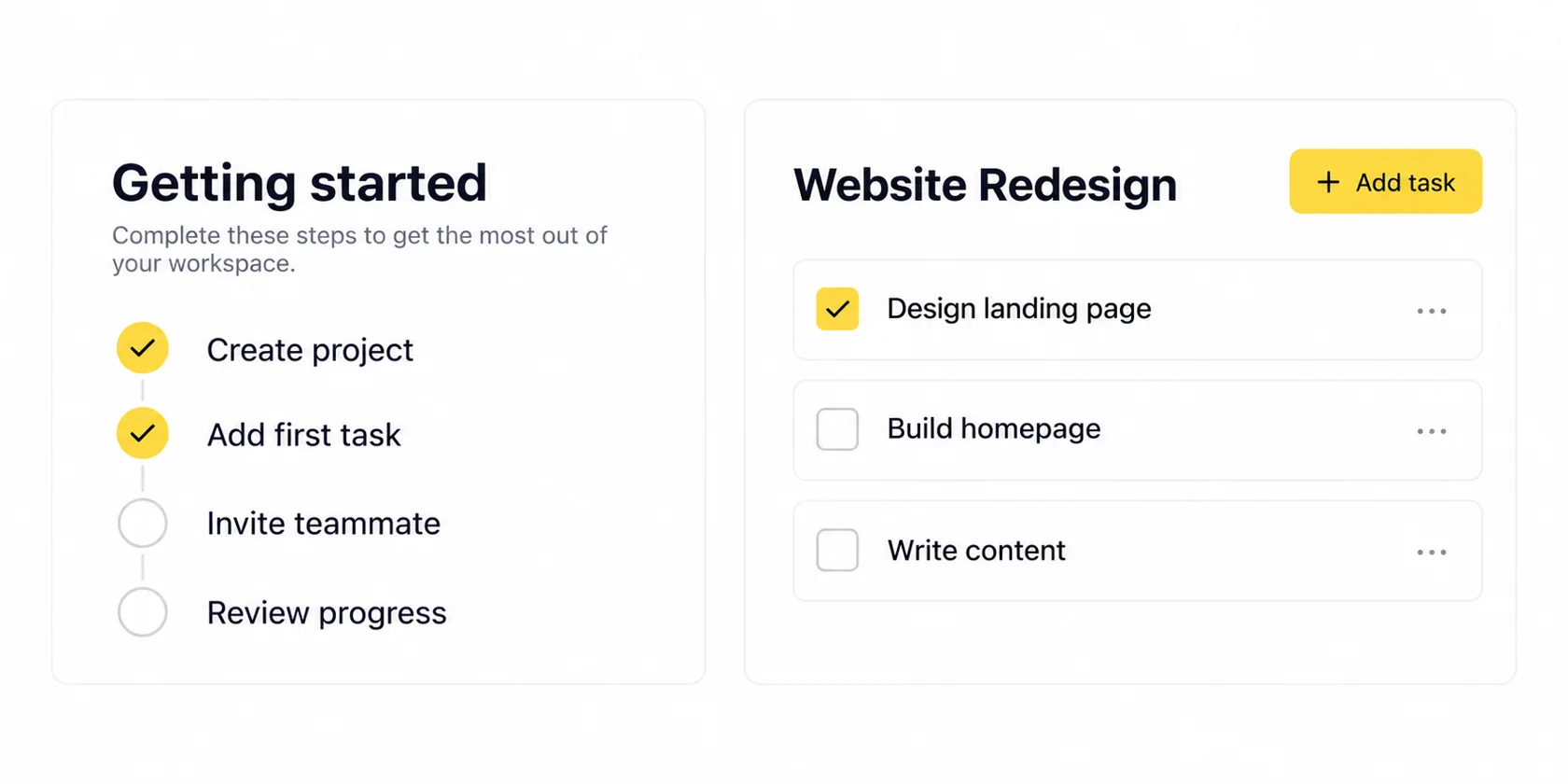
If I could make only one retention change in most SaaS products, it would be to shorten time-to-value: the time between signup and the first moment a user gets a real outcome from the product.
Users who never experience value have no reason to stay. Users who experience it early give you time to show them everything else.
| Weak onboarding | Retention-focused onboarding |
|---|---|
| Long signup form | Minimal signup, progressive profiling later |
| Product tour of every feature | Guided path to one meaningful outcome |
| Empty dashboard on day one | Templates or sample data from the start |
| Same flow for everyone | Paths by role, goal or use case |
| Onboarding ends after first login | Onboarding continues through the first weeks, triggered by behavior |
For a task platform or personal finance dashboard, ask: what is the smallest thing a new user can do in the first session that feels like progress? That answer should shape the first-use experience.
Explore the practical steps in our SaaS user onboarding guide.
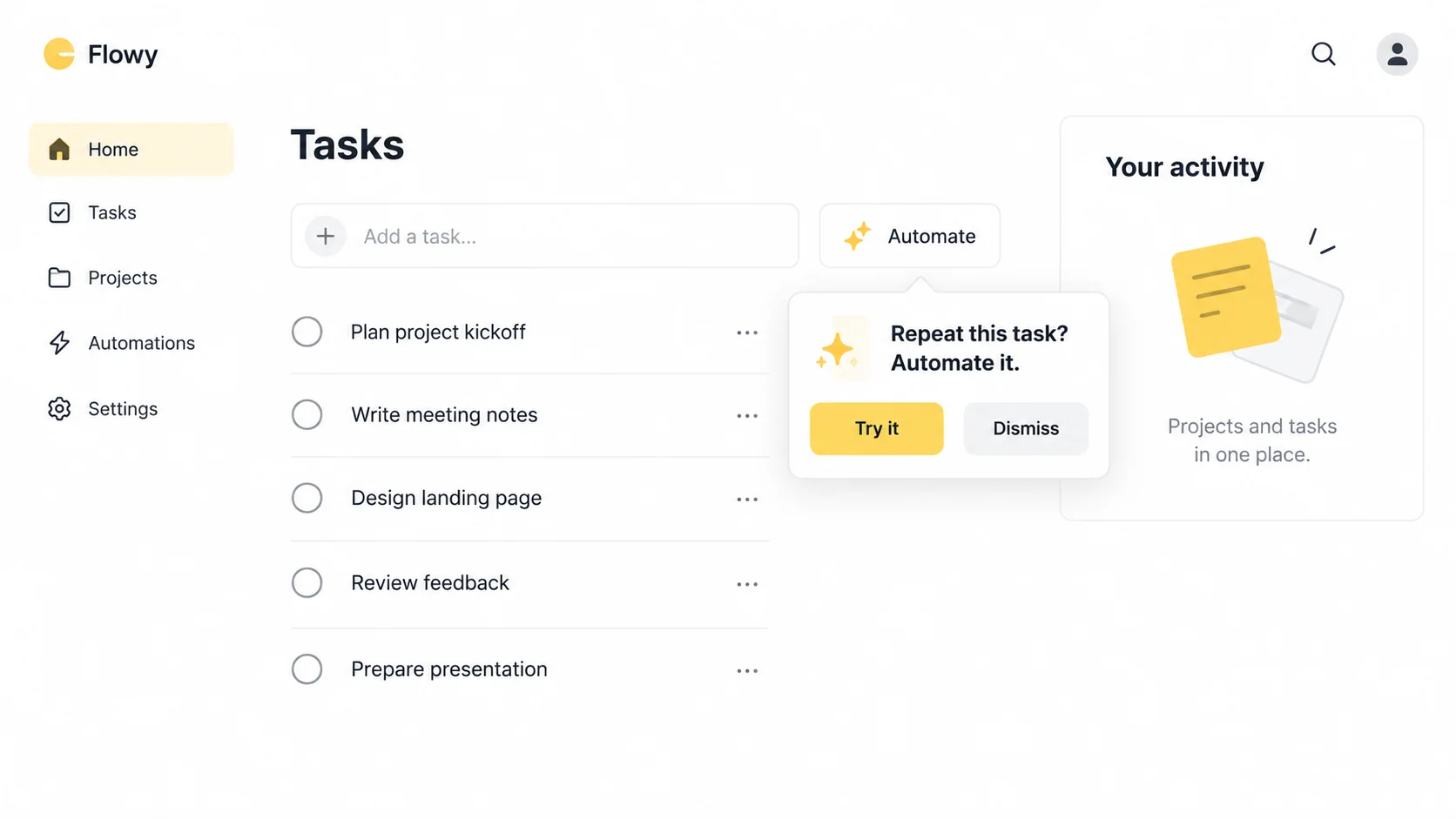
Product-led retention means the product itself keeps customers: through the habits it builds, the value it shows, and the way it guides users deeper over time, instead of relying only on customer success calls and email campaigns.
Not every feature matters equally for retention. Usually a small set of "sticky" features separates accounts that stay from accounts that leave, such as integrations, recurring reports, automations or team collaboration.
How to find and grow them:
In-app messaging is one of the most useful retention tools and one of the most overused. Done well, it guides users at the right moment. Done badly, users learn to close every popup without reading it.
Principles I use for in-app messaging UX:
| Principle | What it means in practice |
|---|---|
| Triggered by behavior | Show a message because of what the user did (or didn't do), not because of a calendar date |
| Contextual placement | Tooltips and inline hints next to the relevant feature, not full-screen modals |
| One message, one action | Each message has a single clear next step |
| Always dismissible | Users can close it easily, and it doesn't return immediately |
| Frequency limits | Cap how many messages a user sees per session and per week |
| Tone matched to the product | Helpful and brief, not salesy |
| Measured | Track whether the message changed behavior, not just whether it was seen |
Messaging types that help retention most:
The same principles connect retention with how UX design drives higher conversions.
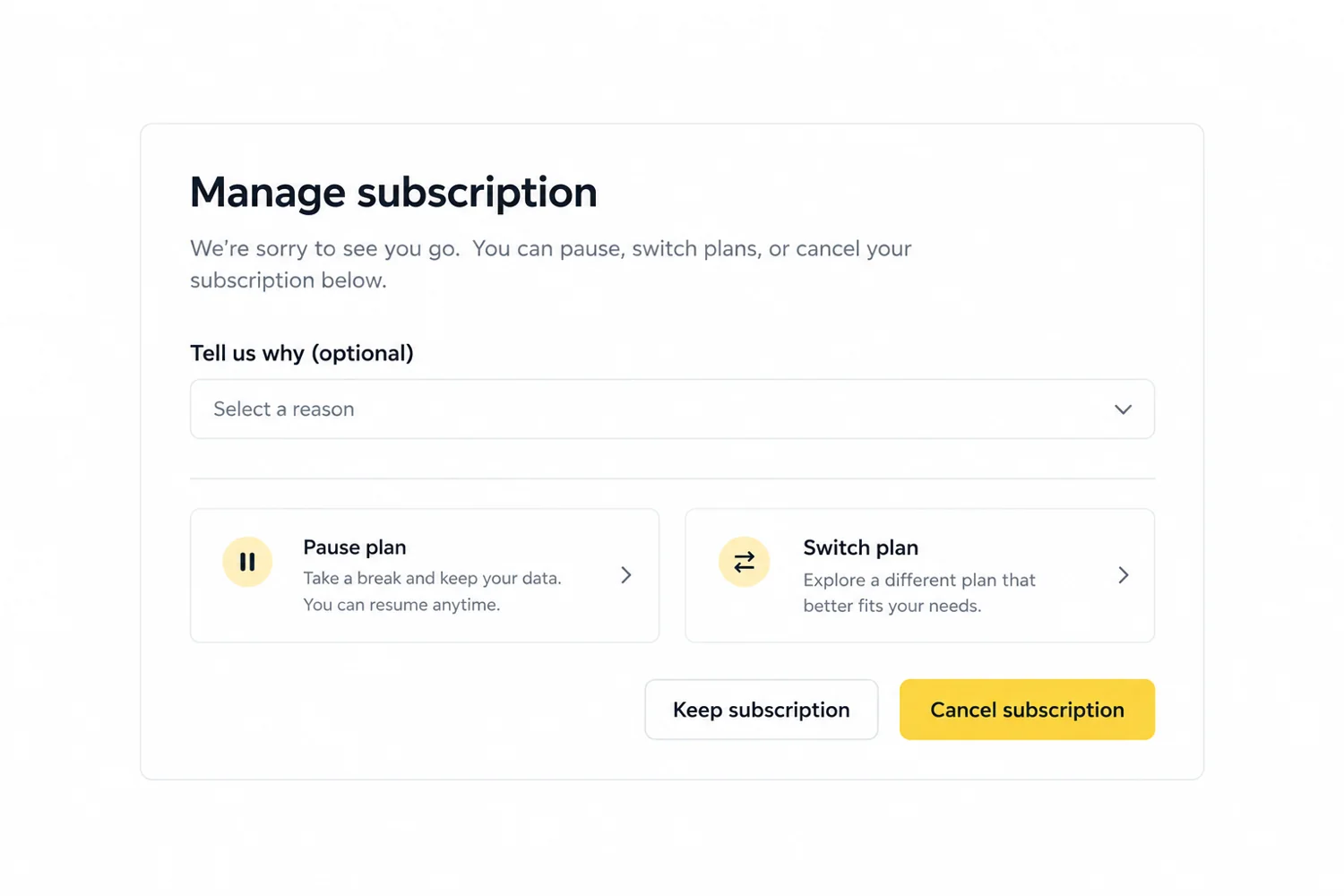
Product experience does most of the retention work, but several retention strategies sit around the product and are just as much about design.
This is often the fastest retention win because the customer never wanted to leave.
A good cancellation flow does three things: it learns why the customer is leaving, offers a relevant alternative, and lets them leave easily if they still want to.
Avoid hidden cancel links, forced phone calls and guilt-based copy. Make the reason survey optional, allow customers to skip alternatives, and keep cancellation clear throughout the flow.
Collect feedback from churned and at-risk customers, tag it by root cause, and share it with product and design every month. When customers see that you shipped something they asked for, tell them in the product. It's one of the simplest ways to rebuild trust.

Here's a practical plan you can start this quarter. It works for early-stage products and for growth-stage teams with more data.
What to expect: retention changes show up in cohort data, and cohorts take time to mature. You'll often see activation and early engagement improve within weeks, while churn itself takes longer to reflect it. Judge the work by leading indicators first.
Treat the 90-day plan as a framework for learning and prioritization. Retention results depend on your customer cycle and the causes you fix.
Many churn problems can be fixed by an in-house team. But when the root causes are in onboarding, information architecture or the core product experience, and your team is already stretched shipping features, outside product design help can speed things up.
Retention-focused design work is usually scoped in one of three ways:
| Engagement type | Best for | What to expect |
|---|---|---|
| UX audit / diagnostic | Understanding why users churn before committing to a redesign | A prioritized list of UX issues tied to retention |
| Focused project | Rebuilding onboarding, a dashboard or a cancellation flow | Research, prototypes, testing and dev-ready designs |
| Ongoing retainer / subscription | Continuous product-led retention work alongside your roadmap | Regular design capacity for experiments and iteration |
For reference, Wolfpixel’s published Bench Light plan is $3,900/month as of October 19, 2026. Check the current design subscription pricing and confirm scope for retention-focused product work. Compare the investment with the revenue at risk and the work required.
If you want a broader view of how a design engagement runs, our guide to the UI UX design process walks through each stage, its deliverables and timelines.
Review our SaaS and product design work for relevant examples.
These are the patterns I see most often when teams have tried to reduce churn and it hasn't moved.
1. Fighting churn only at the cancel button. Discounts and exit offers treat the symptom. The cause is usually weeks earlier in the journey.
2. Treating all churn as one number. Voluntary and involuntary churn, and SMB and enterprise churn, have different causes. A blended rate hides them.
3. Trusting cancellation surveys over behavior. "Too expensive" often means "I didn't get enough value." Pair survey answers with usage data.
4. Adding features to fix retention. More features can make the product harder to learn. Often the retention fix is improving adoption of what already exists.
5. Overusing in-app messages. Too many popups train users to dismiss everything, including the messages that matter.
6. Ignoring involuntary churn. Failed payments are often the easiest churn to recover, yet they get the least attention.
7. Designing onboarding for the buyer only. In B2B products, the people who use the product daily decide whether it survives renewal.
8. Hiding the cancel option. It may delay a few cancellations, but it damages trust, reviews and the chance of a customer coming back.
9. Launching retention changes without measuring them. Every change should have a hypothesis, a metric and a cohort comparison, or you won't know what worked.
10. Letting brands and products drift apart. When the product experience doesn't match what the marketing promised, customers feel the gap and trust suffers.
If customers are signing up but not sticking, book a free 30-minute call to discuss onboarding, navigation and the way your product communicates value.
For the same starting customer cohort and measurement period, customer retention rate equals 100% minus customer churn rate. Exclude new signups from that cohort calculation. Revenue retention uses different definitions, especially when expansion is included.
Both matter, but retention problems make acquisition more expensive. Every customer you lose has to be replaced before you can grow. If churn is high, new customers pour into a leaky bucket, so fixing the biggest retention leak is usually the better first investment.
Annual billing changes renewal timing and can lower observed cancellations between renewal dates. It does not fix weak product value, and cancellation terms vary by contract. Combine annual plans with strong onboarding and visible value; compare annual renewal cohorts separately.
AI features can improve retention when they remove repetitive work or shorten time-to-value, such as auto-filling setup or summarizing data. They can hurt it when outputs are unreliable or the interface doesn't explain what the AI is doing. Designing clear controls, previews and ways to correct AI output matters as much as the model itself.
Use billing analytics to track churn and revenue, product analytics for activation and feature adoption, and in-app guidance for onboarding and contextual messages. Choose tools that integrate with your stack, respect customer privacy and use consistent account definitions.
Yes. Start with the 90-day plan above: talk to churned customers, define your activation moment and simplify the path to it. Many early fixes, such as removing onboarding steps or adding templates, don't need a full redesign. Outside design help becomes more valuable once the causes are in the core product structure.





.svg)



.svg)

.svg)

.svg)

.svg)

.svg)
.svg)
