


October 26, 2026
Web Design
Landing Page vs Homepage: Key Differences and When to Use in 2027


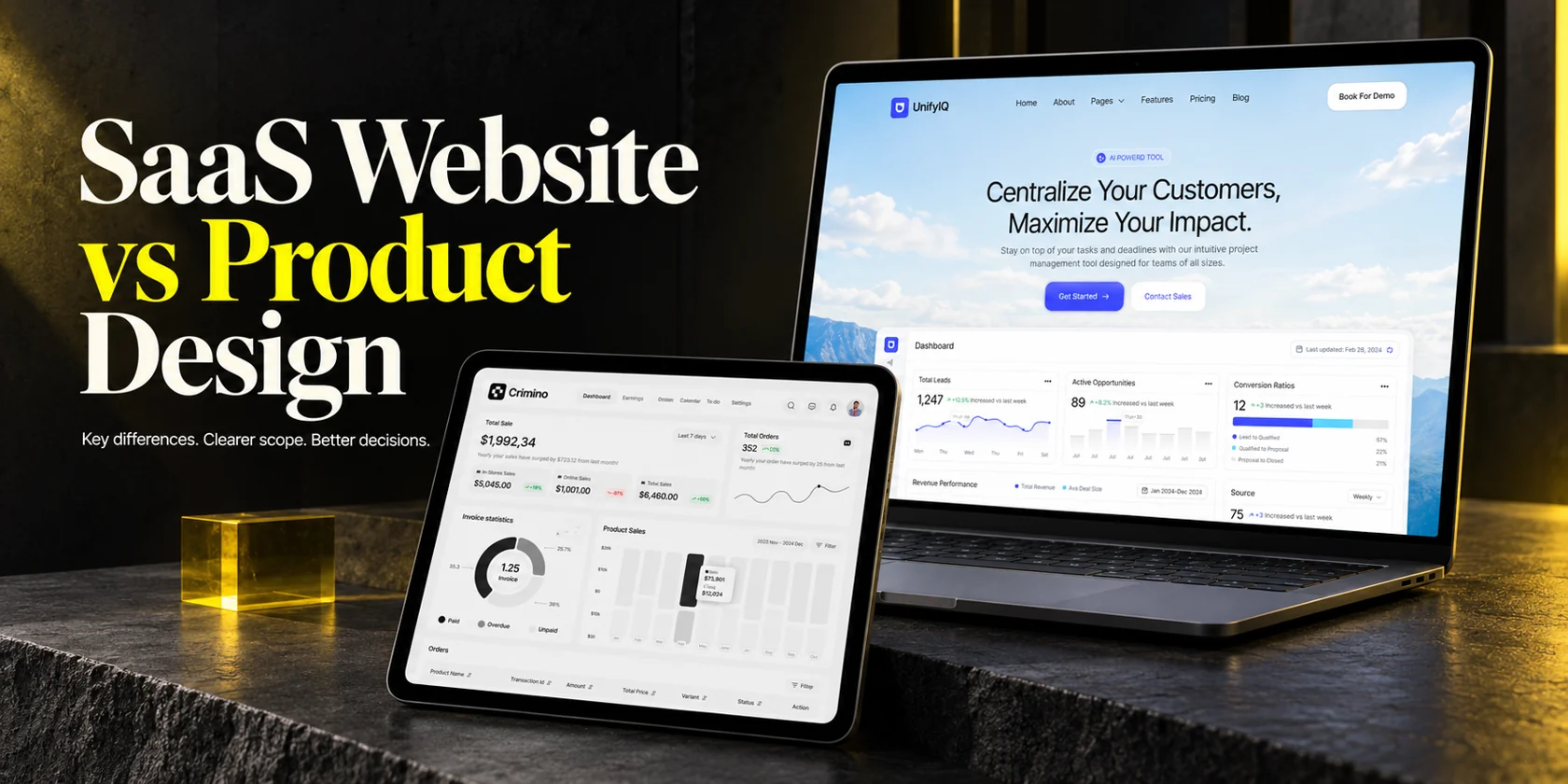
SaaS website design helps prospective customers understand, evaluate and choose your software. SaaS product design shapes how people use that software to complete tasks and receive ongoing value. The website typically includes the homepage, feature and pricing pages, and demo or trial entry points. Product design covers workflows, onboarding, dashboards, settings and the states behind them. Both use UX and UI; their primary decisions, deliverables and measures differ.
For a small business founder or solopreneur, the practical question is where your next design investment belongs. You may need a clearer website, a more usable product, or a focused improvement where the two meet. A polished homepage cannot resolve a failed data import, while a capable product can remain hard to sell if its website does not explain it clearly.
I’m Maniruzzaman Jubayer, Co-founder & COO and Product Design Specialist at Wolfpixel. I oversee website, app, dashboard and digital product design. This guide helps you compare scopes and providers before committing your budget. Wolfpixel offers the services discussed here; the portfolio examples demonstrate published design work, without implying independently measured business results.
The main difference between SaaS website design and SaaS product design is the job each experience supports: helping someone make a buying decision versus helping someone do useful work. “Before login versus after login” is a helpful shortcut, but it is not a complete scope definition. A public calculator can be a working product, and an existing customer can revisit the marketing website to compare plans.
| Decision | SaaS website design | SaaS product design |
|---|---|---|
| Primary purpose | Explain the offer and support a suitable next step | Help people complete useful tasks and keep receiving value |
| People to understand | Prospects, buyers, evaluators and returning customers | Daily users, administrators, account owners and other relevant roles |
| Typical surfaces | Homepage, features, use cases, pricing, demo request, content | Onboarding, workspaces, dashboards, records, settings, billing |
| Core design work | Messaging hierarchy, page structure, proof, navigation and conversion paths | Workflow logic, information architecture, interactions, interface states and reusable components |
| Scope unit | Page templates, content requirements and conversion journeys | User roles, tasks, flows, screens and states |
| Useful measures | Qualified inquiries, suitable trial starts and downstream quality | Task success, activation, time to value and continued useful use |
| Common handoff | Responsive layouts, content, CMS/build requirements and website QA | Prototypes, state specifications, components and engineering review |
| Frequent scope gap | Copywriting, CMS setup or tracking omitted from a visual quote | Errors, permissions, realistic data or implementation support omitted |
Not automatically. A website that describes software is a marketing surface; a SaaS product delivers software functionality as an online service. A brochure site does not become SaaS because it has a login button or runs in a browser. Equally, an application can deliver a SaaS service through a browser, desktop client or mobile app.
AWS’s explanation of the SaaS delivery model describes software hosted and managed by a provider for customers to use over the internet. For this buying decision, separate the pages that explain the offer from the application behavior that delivers it.
SaaS product design is a specialization within product design. Product design is not limited to one-time purchases or locally installed software. Website design also requires usability testing, accessible forms and interaction states. Product design also supports commercial moments, including upgrade decisions. The distinction is not that one uses strategy and the other only uses visuals. It is the context of the decision, the evidence needed and the work required to deliver it.
If you need the wider discipline first, our SaaS design guide covers UX, UI and product design together. This comparison stays focused on choosing the scope your business needs next.
Share the user journey you want to improve. Compare the website, product and implementation deliverables required for a focused first project.


SaaS website design connects your offer, page structure, copy and proof to a buying decision. Its scope should explain the actual product and support an appropriate next step.
Start with an audience, buying question and supporting evidence. Map the necessary pages, outline the message, then design and test the responsive journey. Name the content owner and builder before expanding the page count.
Design and development may be separate purchases. Ask whether “website design” means approved Figma layouts or a working site you can edit. If implementation is needed, compare the required CMS and handoff with Wolfpixel’s Webflow development service.
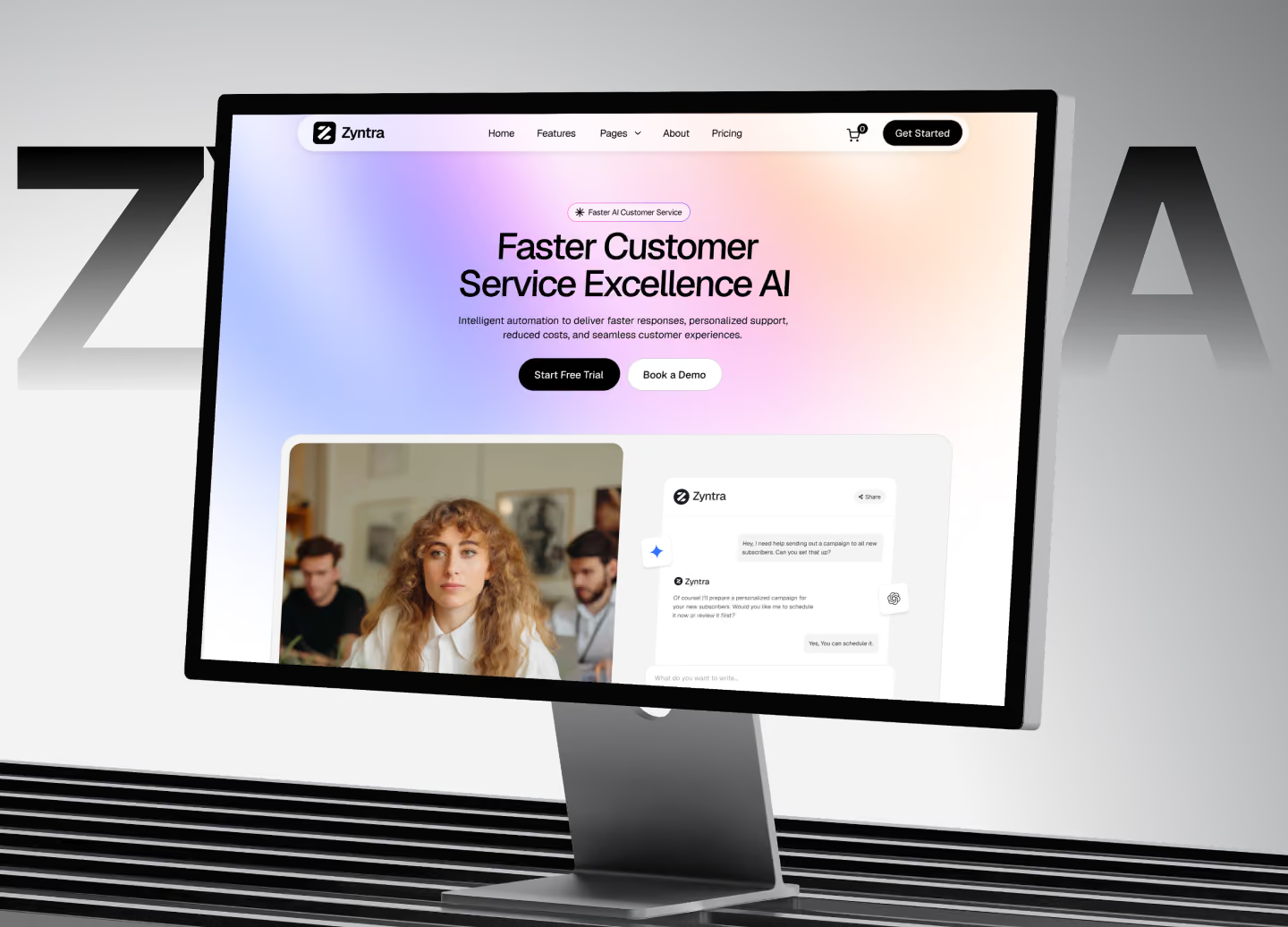
A scheduling-software buyer may need to know whether multiple locations are supported before booking a demo. Put that answer where they can find it; abstract graphics cannot replace product information.
For a campaign with one offer and one intended action, a focused landing page may be enough. Our guide to landing page types and uses explains when that narrower scope fits. You do not automatically need a large marketing site to test a specific proposition.
Ask an unfamiliar reader to explain the offer and next step. Test the live form and CRM delivery, then confirm your team can make a routine content update.
Open Wolfpixel’s UnifyIQ website case study and the live Webflow template. Review the offer, product presentation and routes to a demo or contact. This is website evidence, not proof of working CRM software. Compare that scope with the Crimino application interface in the next section: the page explains the product; the product interface must support actual work.
SaaS product design covers the decisions and interfaces that allow a user to accomplish a job inside the software. It can include research, prioritization, information architecture, workflows, interaction design, UI, prototypes and validation. Its boundaries should reflect your specific release, rather than an assumption that every part of the platform must be redesigned.
“Design a dashboard” leaves too much unanswered. “Help an account owner identify overdue invoices and send a reminder” gives the team a task to investigate. They can establish which records matter, which actions are permitted and how the interface should respond.
One screen may have several states. The account might be new, the data loading, the connection interrupted, the user unauthorized or the table populated with realistic records. A product design quote should name the relevant states and explain how they will be documented. It should also cover what happens after a user makes a mistake.

Your developer should join early enough to discuss data availability, existing components and technical constraints. A design for instant reporting is a poor handoff if the underlying service only updates overnight and no one has agreed how to communicate that delay.
For deeper role and workflow considerations, read our B2B SaaS UX guide. If the work is inside your application, compare the relevant workflow, dashboard and component deliverables in Wolfpixel’s SaaS design service against your brief.
Consider Slack. Reading about a communication tool helps you evaluate an offer; joining a workspace and sending a message lets you use it. Slack’s own getting-started guide documents workspace setup and messaging. A design brief must say whether you need the public explanation, that working journey, or both. The same company can have both scopes without making them the same purchase.
Website and product work meet at plan selection, signup, invitations and first use. Give these transitions a shared scope even when different specialists design each side.
| Surface | Website responsibility | Product responsibility |
|---|---|---|
| Public pricing | Explain plans, limits and billing basis accurately | Apply the chosen plan and show actual entitlements |
| Trial signup | Explain the offer, requirements and next step | Create the account, handle verification and support recovery |
| Interactive demo | Label sample content and capabilities honestly | Keep the illustrated workflow consistent with real behavior |
| Onboarding | Set accurate expectations about setup and prerequisites | Guide the user to a useful outcome and handle blocked setup |
| Upgrade | Keep public plan descriptions current | Show account-specific limits, charges and confirmation |
| Help and documentation | Make relevant public support information findable | Link to help in context and preserve the user’s progress |
A marketing-domain signup form may depend on application validation. Assign one end-to-end owner, then name who implements and tests each step so neither quote excludes the handoff.
For example, Stripe’s customer portal documentation describes hosted account, payment and subscription management. Using a hosted tool can reduce custom interface work, but someone still needs to configure it, integrate access and check that the customer understands the journey.
Keep plan, object and action names consistent. Share visual tokens where useful, while adapting layouts to browsing or repeated work.
Build the components you use first. Our design system guide covers library structure and governance as the product grows.
Investigate the clearest observed obstacle first. Low signup volume can reflect traffic, positioning, pricing, design or product readiness; it does not diagnose a website problem on its own.
| What you observe | Investigate first | A sensible first scope |
|---|---|---|
| Qualified prospects cannot explain the offer | Website message, proof and next-step clarity | One priority page and its conversion journey |
| Visitors start signup but encounter failures | The whole signup transition | Form, account creation, verification and recovery |
| New accounts stall before a useful result | Product setup and the core task | One activation workflow with necessary states |
| A product is still an untested idea | Customer problem and usability assumptions | Focused discovery and a testable prototype |
| The product works, but a new audience needs different information | Website audience fit and supporting evidence | Relevant use-case page plus the demo/trial route |
| Marketing promises a capability users cannot find | Both the promise and the actual flow | Joint website-to-product review |
| You have little traffic or reliable usage data | Customer conversations, recruitment and measurement | Small diagnostic before committing to redesign |
A focused page can recruit prospective users while you test a prototype. Label concepts and waitlists accurately, and make the offer match what actually exists.
Follow one relevant journey from entry page to a useful result. Combine support questions, sales objections and direct observations to identify missing information, uncertainty or technical failure.
When the cause is unclear, use our UX audit guide to understand what a diagnostic should produce. An audit should connect evidence to a prioritized recommendation and identify what still needs validation.
Suppose booking-software trials stall at calendar connection. Check whether the website explained the requirement, whether permissions are understandable and whether failures offer recovery. That transition may be a more useful first project than replacing the homepage.
This is a hypothetical planning example, not a measured Wolfpixel client result.
Neither scope is always cheaper or faster. One product workflow can be smaller than a multilingual website with new copy, migration and integrations. Compare equivalent inclusions before comparing prices.
| Cost driver | Website scope questions | Product scope questions |
|---|---|---|
| Research | Are audience, offer and supporting evidence established? | Are the priority task, users and constraints understood? |
| Surface area | How many unique templates and content variations? | How many roles, workflows, screens and relevant states? |
| Content and data | Who supplies copy, screenshots, translations and proof? | Who supplies realistic records, rules and interface language? |
| Build | Is CMS setup, migration and integration included? | Is code included, and which team handles APIs and logic? |
| Validation | Which content, form and responsive checks are included? | Who participates in task testing and what is revised afterward? |
| Release support | Who checks redirects, tracking and form delivery? | Who reviews implementation, recovery states and the release? |
| Ongoing work | Who updates pages and new product claims? | Who maintains components and resolves new workflow issues? |
A lower design fee may leave copy, screenshots and build coordination to you. Include that work in your budget and schedule.
Request assumptions, exclusions, client inputs and review dates. For separate discovery, ask which findings you receive and can reuse. For ongoing work, agree a budget and progress checkpoint.
Our website design package guide and UI/UX design cost guide provide broader buying context. For this decision, request a current quote against your actual scope rather than applying a generic agency price range.
Two equal-price proposals can buy different things: a working CMS website with copy direction, or one product workflow with development excluded. Compare each against the problem and implementation capacity you have.
Approve milestones tied to usable evidence, such as a tested task or implementation review. A screen count alone can hide missing behavior.
Trace the main website promise through the next action, setup requirements and first useful result. Assign one journey owner across both contracts.
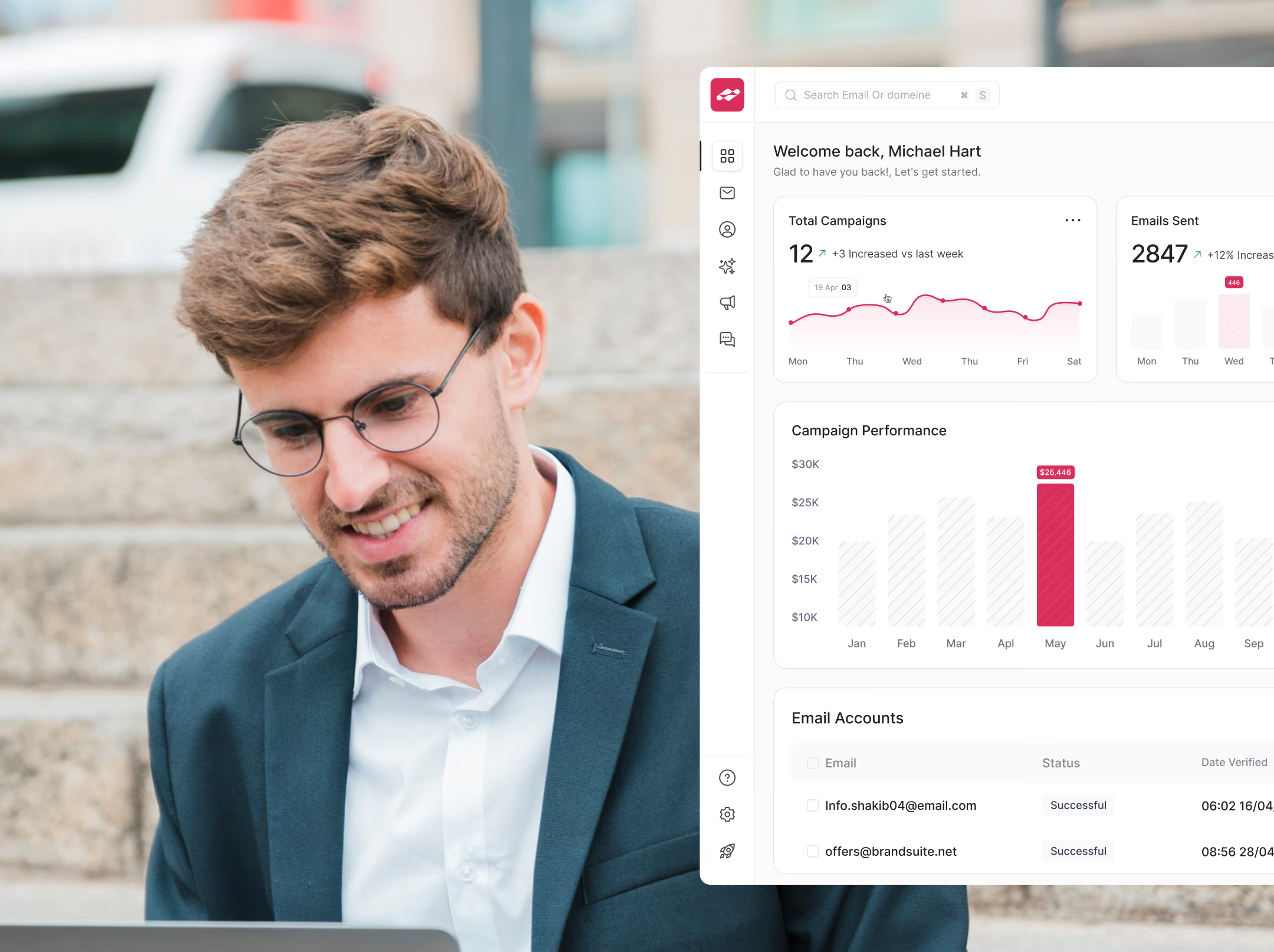
For the setup portion, our SaaS user onboarding guide goes deeper into reaching a first useful outcome. For public plan communication, use the separate SaaS pricing page design guide. Keep those detailed implementation discussions attached to their own scope.
| Measure | A workable definition | Interpretation check |
|---|---|---|
| Website-to-trial rate | Completed trial starts / eligible website visitors over a defined period | Segment by relevant channel and visitor type |
| Qualified demo rate | Demo requests meeting your stated criteria / relevant visitors | Review qualification and attendance, not just form volume |
| Activation rate | New eligible accounts reaching your defined useful outcome / new eligible accounts | Use a meaningful outcome and a stated time window |
| Time to first value | Elapsed time from the agreed starting event to that outcome | Account for required setup and delayed data |
| Task success | Participants completing a specified task / participants attempting it | Record role, task conditions and assistance |
| Guardrails | Support issues, task errors, refunds or other relevant harms | Check whether a short-term gain creates a worse experience |
With low volumes, report counts alongside percentages and use customer observations. Traffic, pricing and product changes can affect the same metrics, so before-and-after movement alone does not establish causation.
Both experiences need usable navigation, clear labels, keyboard access and understandable feedback. Use the W3C WCAG quick reference to agree relevant accessibility checks, then test the implementation; a visual design file alone cannot establish conformance.
For website performance, Google’s Web Vitals guidance distinguishes loading, responsiveness and layout stability. A product also needs feedback during slow tasks, even when the initial page loads quickly. Public product pages and demos may need search consideration; private account data does not belong in a public search strategy. Google’s JavaScript SEO documentation explains the crawling, rendering and indexing considerations for discoverable web content.
Evaluate evidence for your actual scope: website communication and conversion journeys, or product tasks, roles and recovery states. A team offering both should name who does each part.
For confidential work, request a redacted walkthrough or labeled demonstration. A public portfolio alone cannot establish measured results.
The best examples of SaaS websites for your brief demonstrate the buying decision you need to support. Our landing page inspiration guide explains how to study them beyond the hero.
A search such as “SaaS website design Behance” can reveal visual directions. Distinguish concepts, templates, live sites and working products; each supplies different evidence.
Judge Framer SaaS websites and Webflow builds by editing, content accuracy and signup continuity. A marketing template does not include application logic by default. Our SaaS web design agency comparison can support your shortlist.
Business and reader: We serve [audience] who need to [job].
Current obstacle: We observe [specific behavior], supported by [source and limitations].
Priority journey: From [entry page or product state] to [useful outcome].
Scope: Include [pages or workflows], [roles], [states] and [device needs].
Existing materials: We have [copy, brand assets, data, code and components].
Build responsibility: [team] will implement; the proposal must state design and build inclusions.
Acceptance: We will review [specific task, implementation checks and evidence].
Commercial terms: State milestones, exclusions, client inputs, revision boundaries, support and source-file ownership.
Next decision: We will approve or revise the next phase after [checkpoint].
If you are also comparing a studio with an independent designer, our agency versus freelancer guide covers the delivery trade-offs. The title of the provider matters less than the capability, availability and scope they can substantiate.
Start with one complete journey, record the findings and decide whether a further phase is justified.
For application work, compare Wolfpixel’s SaaS product design services with your brief. Specify marketing-site implementation separately so the proposal names the build responsibility.
No. Web design focuses on experiences delivered through websites; product design considers how a product solves a user’s problem, including its workflows and behavior. They overlap in UX and UI. For a SaaS purchase, distinguish the marketing website scope from the application scope rather than treating the labels as interchangeable.
Not automatically. A marketing website explains the offer, while a SaaS application delivers software functionality as an online service. A SaaS product can run in a browser or through other clients. Neither a login button nor a subscription price alone defines what the customer is using.
SaaS product design connects user needs, business priorities and technical constraints to the way subscription software works. It can cover research, information architecture, workflows, UI, reusable components, prototypes and validation. A focused engagement can address one task rather than the whole product.
Website design helps people understand and evaluate the software through marketing pages and conversion journeys. Product design helps people use the software through workflows, onboarding, dashboards and settings. They overlap at signup, pricing and other transitions, so define shared responsibilities explicitly.
SaaS website design shapes a software company’s public-facing pages and buying journeys. It includes page structure, messaging, product presentation, proof and next steps. Copywriting, CMS setup, development and tracking may be separate inclusions, so check the proposal.
Investigate the clearest obstacle. If relevant prospects cannot understand the offer, review the website. If new users cannot complete a useful task, review that product flow. If the promise and experience disagree, review both together. Limited evidence can justify a small diagnostic before a redesign.
It may include the trial entry point and expectations before signup, but in-app setup and activation require explicit scope. Assign ownership for account creation, verification, first-use guidance and recovery so a handoff does not leave gaps.
UI and UX are important parts of product design. Product design also connects the problem, priorities, constraints and validation decisions around them. Providers use these labels differently, so compare the actual deliverables rather than assuming the title defines the service.
Neither is always more expensive. Cost depends on research, unique templates or workflows, roles, states, content, integrations and implementation. Compare written scopes with the same assumptions, and include the work your own team must supply.
Yes, if the person or team can demonstrate both website communication and product interaction work. Ask for relevant walkthroughs, who will do each part and how shared journeys will be tested. Confirm whether the purchase includes production code or design handoff.
Yes. A marketing website can use a CMS such as Webflow while the application uses a separate stack. The teams must still agree on account and signup links, naming, plan details, analytics and ownership of transitions. The CMS choice alone does not provide the application’s backend or security.
Define a baseline, audience, event and measurement window first. Review qualified website actions alongside product activation or task success. Include counts and relevant guardrails, and account for changes in traffic or the offer. A before-and-after increase alone does not establish causation.
Ask it to explain a relevant journey, show the work behind the visuals and name the deliverables, states, build responsibilities and acceptance checks. Clarify inputs, exclusions, approval authority, support and ownership. Compare each proposal against the same brief.



.svg)



.svg)

.svg)

.svg)

.svg)

.svg)
.svg)
