



 19 min read
 Published
Design system cost is one of the hardest numbers to budget because published prices for what sounds like the same thing run from $5,000 to more than $500,000. A founder gets a $12,000 quote and a $90,000 quote in the same week and has no way to tell which one is wrong. Usually neither is. They’re pricing different amounts of work under the same name.
I’m Maniruzzaman Jubayer, Co-founder & COO and Product Design Specialist at Wolfpixel, with 7 years of experience. I personally oversee website, app and digital product design. This guide compares the prices studios and agencies publish, works out the cost per component behind them and shows how to tell whether a system will pay for itself at your team size.
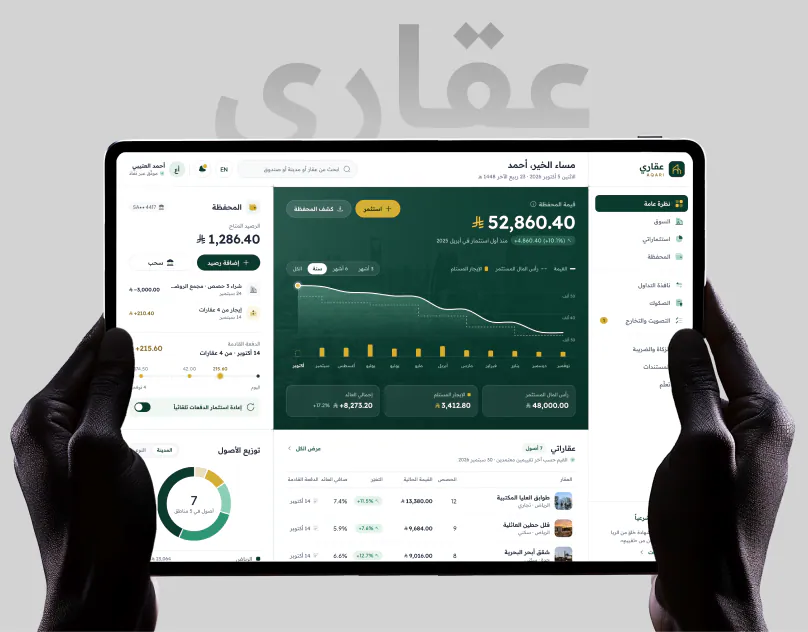
Our team builds design systems as part of product work. Two published examples are AQARI, where one system runs in Arabic and English with right-to-left and left-to-right components built as true pairs, and Core.hr, where a single system covers the web dashboards and the mobile app. You can read more about the team on our about page.
If you already know you need one and want a team to build it, that’s our design system services page. This article is the pricing logic behind it.
The short answer: a design system costs about $5,000 to $25,000 for a Figma library with tokens and core components, $15,000 to $180,000 for a system that is designed, coded and documented, and $100,000 to $600,000 or more for an enterprise system across several products and brands. Wolfpixel design systems start at $12,000.
Key takeaways:
- The price gap is a scope gap. Design-only, design plus code and a governed enterprise program are three different purchases.
- Cost per component ranges from about $100 to more than $7,000 in published figures, depending on what’s counted.
- Platforms, brands, modes and migration multiply a quote faster than component count does.
- Maintenance is a yearly cost. Published budgets run at 20% to 30% of the build.
- Adopting an open-source kit is the cheapest start, and often the right one before product-market fit.
- Company stage sets the sensible budget: a kit before funding, a foundation at seed and a production system once several teams ship UI.
- For a ten-person product team, a system can break even at about one hour saved per person per week.
How we got these numbers: these are 2027 budgeting estimates based on publicly available studio pricing and industry research that we reviewed in November 2026. We read the design system price guides and studio pricing pages that rank for this topic and recorded every figure they publish, along with the scope each figure covers. Where we quote a range, we link the source, and the full list is in Sources and method at the end.
Two kinds of numbers appear in this guide, and we label them. Published figures come from the linked sources. Our estimates are the hour models and payback examples, shown with their assumptions so you can swap in your own. Actual project costs vary with scope, team and implementation needs. Wolfpixel sells design systems, and our own starting price is included and labeled as ours. We’ll update this guide as new 2027 prices are published.
How much does a design system cost in 2027?
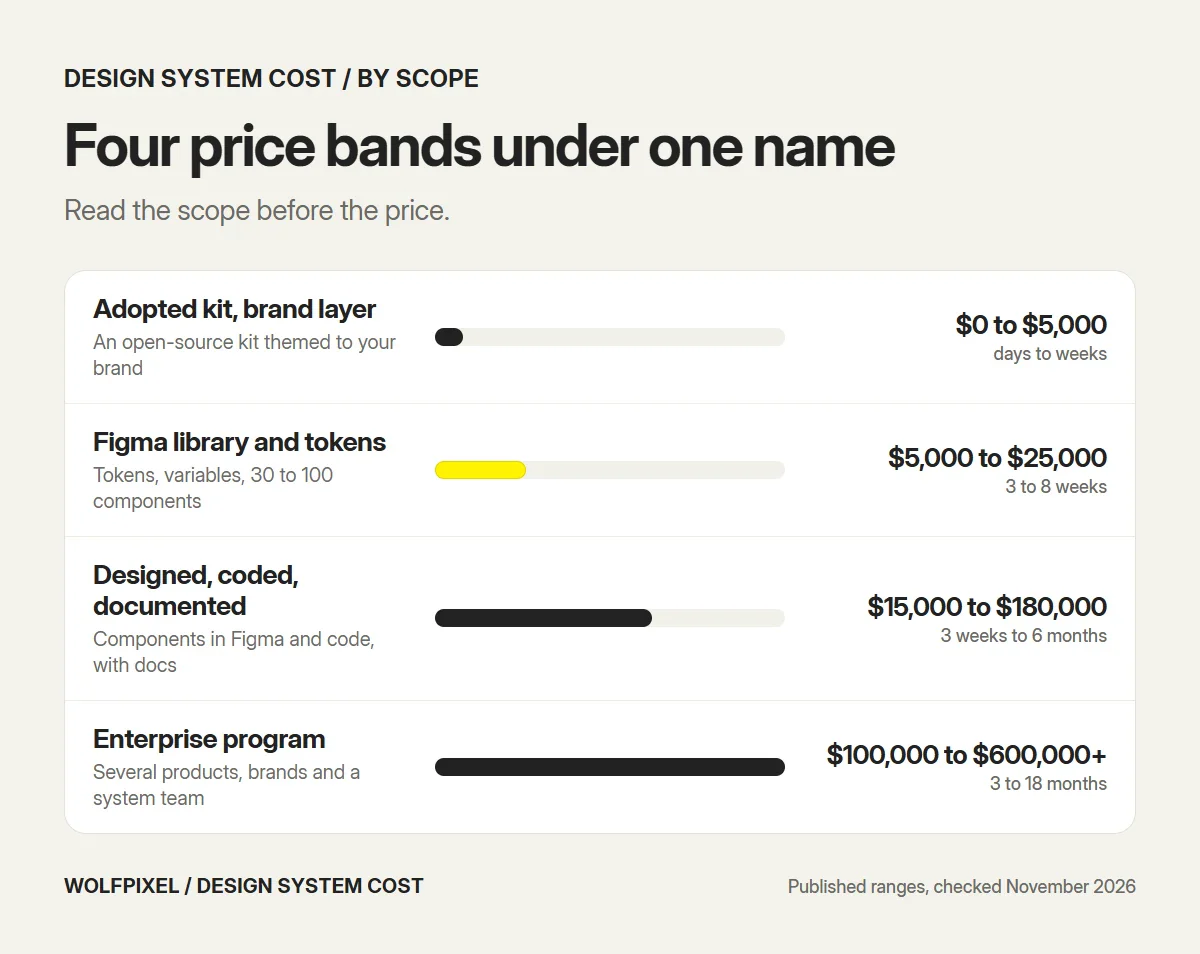
Published prices sort into four bands. The scope column matters more than the price column, because the same word covers all four.
| Scope | What it covers | Published price range | Typical timeline |
|---|---|---|---|
| Adopted kit with a brand layer | An open-source kit themed with your color, type and spacing | $0 to $5,000 | Days to weeks |
| Figma library and tokens | Tokens, variables and 30 to 100 components in Figma | $5,000 to $25,000 | 3 to 8 weeks |
| Designed, coded and documented | Components in Figma and code, with docs and accessibility guidance | $15,000 to $180,000 | 3 weeks to 6 months |
| Enterprise program | Several products, platforms or brands, with governance and a system team | $100,000 to $600,000+ | 3 to 18 months |
Here is where those ranges come from:
- Adopted kit. Luft, a design studio, prices basic customization of an open-source kit such as shadcn/ui with Tailwind at $0 to $5,000 for a pre-seed team.
- Figma library and tokens. DesignShare puts a starter library of 30 to 50 components at $5,000 to $10,000 and a full library of 60 to 100 components at $10,000 to $25,000. BAMN, another studio, prices a startup-scale system of 50 to 80 components for a single product at $8,000 to $15,000.
- Designed, coded and documented. Luft prices a foundation of 20 to 30 components with tokens, a Figma library and code components at $15,000 to $25,000 in 3 to 4 weeks, and a production system of 50 to 70 components at $40,000 to $80,000 in 6 to 10 weeks. RNO1 prices a focused system for a growth-stage product at $80,000 to $180,000, built over 3 to 6 months by a small embedded team of designers and front-end engineers.
- Enterprise. Luft prices an enterprise system with governance at $100,000 to $200,000 and above. RNO1 puts a full-scale system at $180,000 to $350,000 and an enterprise system with multi-product coverage at $300,000 to $600,000 or more over 12 to 18 months.
Notice that DesignShare’s enterprise tier starts at $25,000, well below the $80,000 where RNO1’s growth-stage tier starts. Neither is wrong. One is mostly pricing a design library, and the other is pricing designers and engineers embedded for months. The next two sections explain how to tell them apart.
A third studio guide, VITON13’s comparison of published prices, collects several of these figures in one table if you want a second view of the same market.
For how design system pricing fits into overall product budgets, see our guide to UI/UX design cost.
Design system vs UI kit vs component library
These three terms get used as if they mean the same thing, and a lot of pricing confusion starts there. A quote for a “design system” that is really a UI kit will always look cheap.
| UI kit | Component library | Design system | |
|---|---|---|---|
| What it is | Ready-made components in a design tool | The same components built in code | Both, with the rules that connect them |
| Design tokens | Rarely | Sometimes | Yes, shared by design and code |
| States and variants | Basic | In code | Every component, in design and code |
| Usage rules and docs | No | Technical docs | Yes, for designers and developers |
| Ownership and updates | None | The developers | A named owner and a process |
| Typical price, as published | $0 to $5,000 | Staff time | $5,000 to $600,000+ |
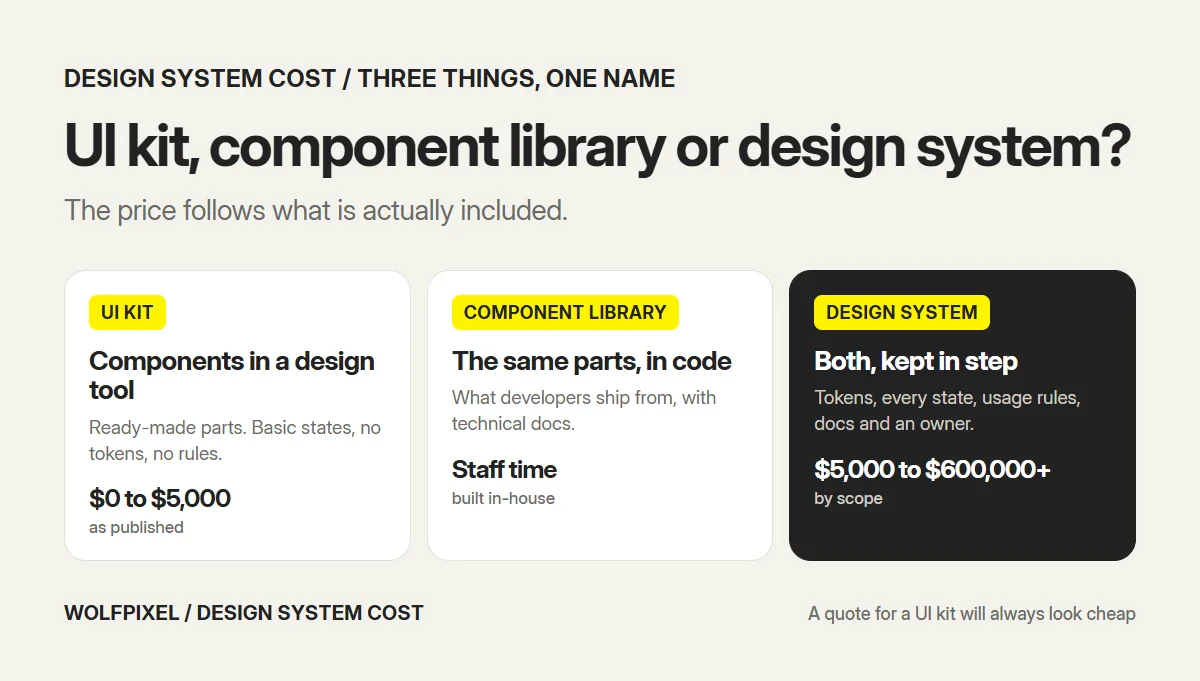
A UI kit is a good starting point, and a component library is what your developers ship from. A design system is the two kept in step, with tokens, documentation and an owner. That last part is the work you’re paying for, and it’s the reason a custom Figma design system from a studio costs more than a kit you can download.
Design system cost by company stage
The right budget depends less on what a system can cost and more on where your company is. Luft publishes a stage-by-stage framework, and it’s a sensible way to set a first budget.
| Stage | Team size, as published | What fits | Published price |
|---|---|---|---|
| Pre-seed | 1 to 3 people | An open-source kit with basic customization | $0 to $5,000 |
| Seed | 4 to 8 people | A foundation: documented core components and brand basics | $15,000 to $25,000 |
| Series A | 8 to 20 people | A production system with a full component library | $40,000 to $80,000 |
| Series B and later | 20+ people | An enterprise system with governance | $100,000 to $200,000+ |
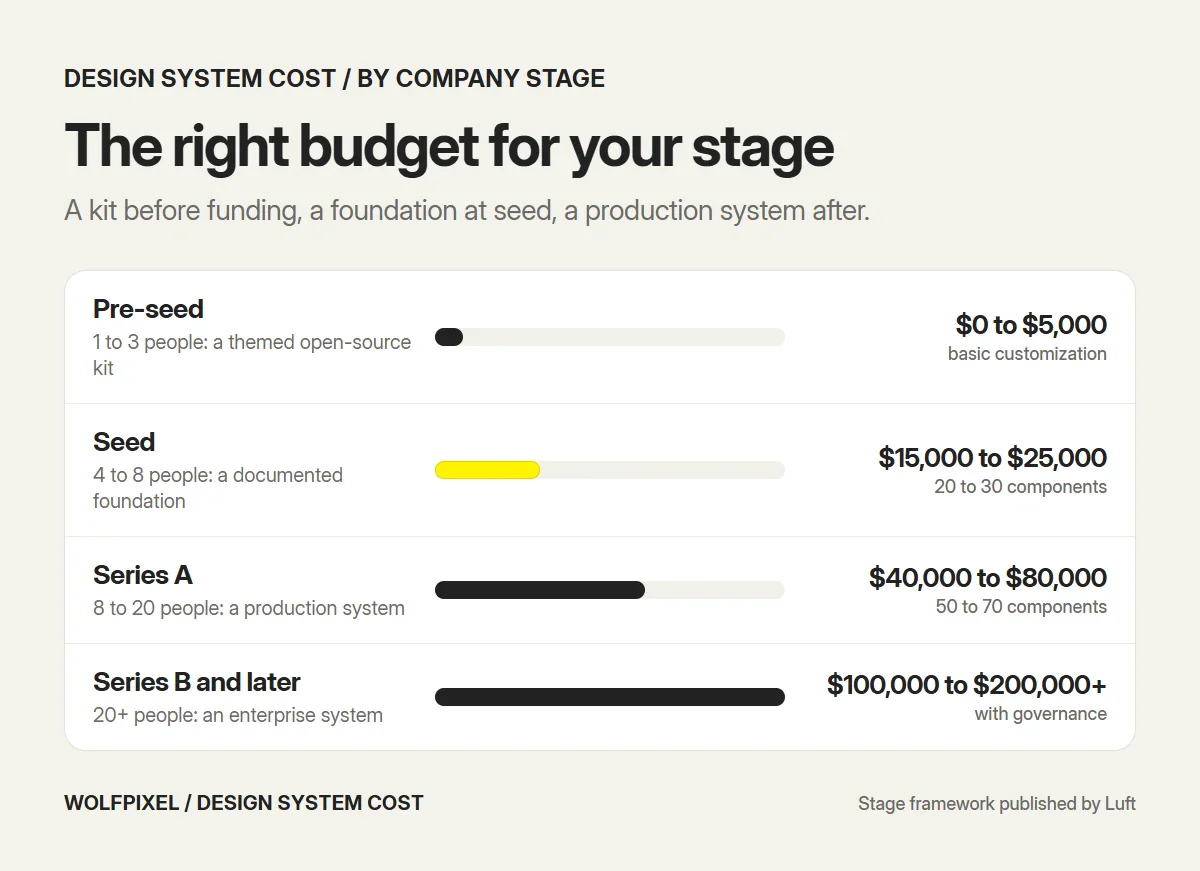
RNO1’s figures sit higher for a similar stage, at $80,000 to $180,000 for a Series B or Series C company, because they include engineers embedded for months. So the design system project budget for a growing SaaS company depends on a second question: do you need the components designed, or designed and built?
A few practical readings of the table:
- Startups before funding. Don’t commission a system. Theme a kit and move on.
- Seed-stage SaaS. A design-side foundation is usually enough, and your developers build from the specs. This is where a lot of SaaS design work starts.
- Growth-stage product companies. Several squads now ship UI. A production system with code alignment pays back fastest here.
- Enterprise organizations. Several products and brands. Budget for governance and a team, not just a library.
Design system cost per component: why prices differ so widely
The quickest way to compare published prices is to divide each one by its component count. We did that arithmetic on the figures above and on two detailed published accounts. The prices and counts are published; the division is ours.
| Source and scope, as published | Published price | Components | Cost per component |
|---|---|---|---|
| BAMN startup-scale system, one product | $8,000 to $15,000 | 50 to 80 | About $100 to $300 |
| DesignShare full library tier | $10,000 to $25,000 | 60 to 100 | About $100 to $420 |
| Luft foundation, Figma and code | $15,000 to $25,000 | 20 to 30 | About $500 to $1,250 |
| Luft production system | $40,000 to $80,000 | 50 to 70 | About $570 to $1,600 |
| Autentika’s hours-based estimate | About $288,000 | 40 | About $7,200 |
| In-house team for a year (LaViska) | $1.1 million in salaries | About 30 | About $37,000 |
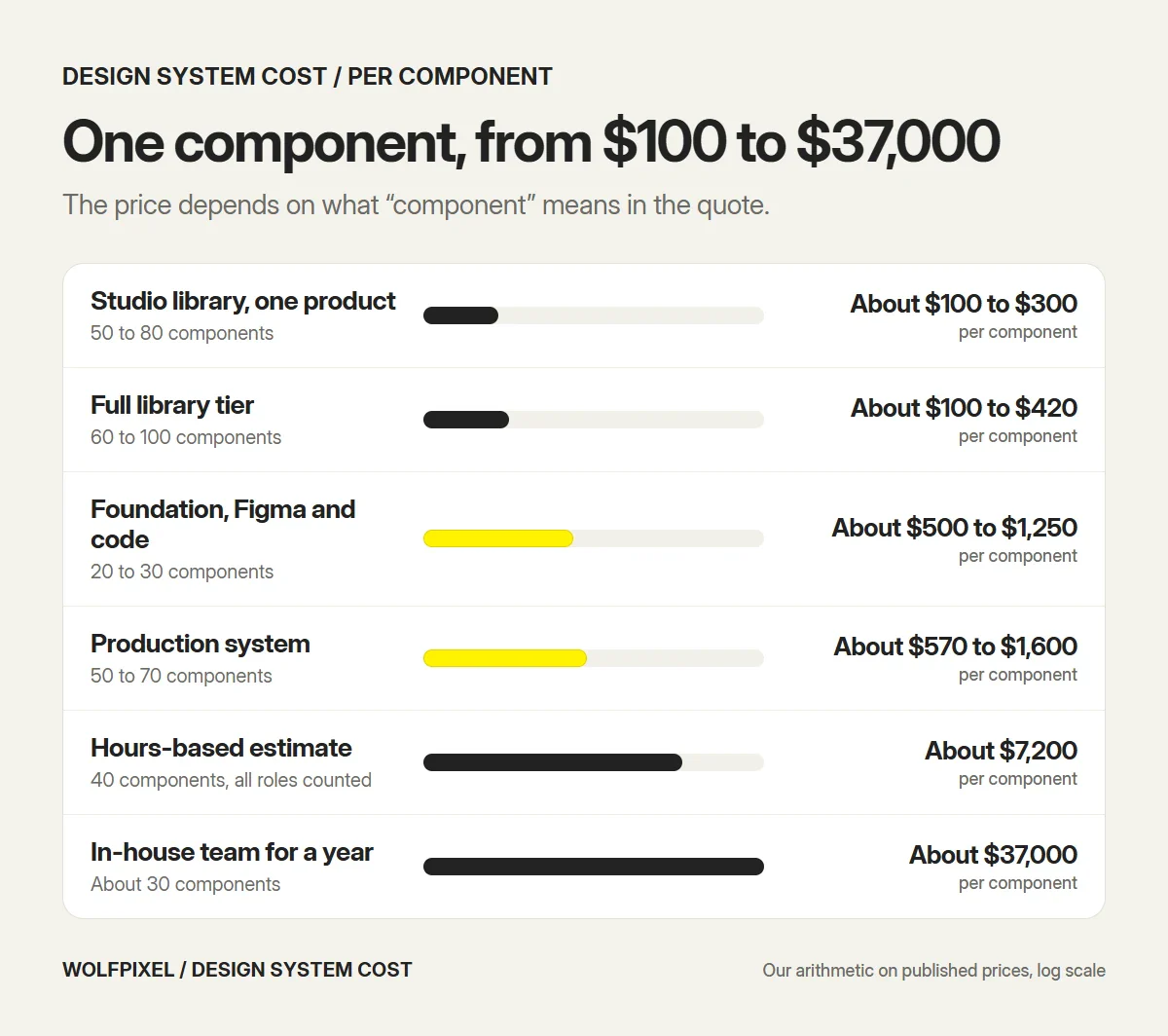
The last two rows need context. Autentika counts 100 to 120 hours per component across design, development, testing, copy, documentation and training, multiplies by 40 components and prices the hours at $60 each. Cory LaViska describes a team of eleven full-time people who built about 30 components in 12 months, and he assumes a $100,000 salary for each.
So the spread from $100 to $37,000 isn’t a pricing scandal. It’s four different definitions of “component”:
- A Figma component. Drawn once with its variants, ready for designers to use.
- A designed and coded component. The same thing, built in your front-end stack.
- A production component. Coded, tested, accessible, documented and versioned.
- A governed component. All of the above, plus the time of a team that maintains it, trains people and reviews contributions.
Any quote you receive sits at one of these levels. Find out which before you compare it with another.
Design-only vs design plus code: the same 40 components, three prices
To see how much the definition moves the total, take one list of 40 components and price it at three levels of work. Two of the hour figures are published, and one is our assumption.
| Level of work | Hours per component | Source of the hours | 40 components | At $100 an hour |
|---|---|---|---|---|
| Design only, in Figma | 6 to 10 | Our working assumption | 240 to 400 hours | $24,000 to $40,000 |
| Designed and coded | About 24 | Method’s published estimate | About 960 hours | About $96,000 |
| Fully governed | 100 to 120 | Autentika’s published estimate | 4,000 to 4,800 hours | $400,000 to $480,000 |
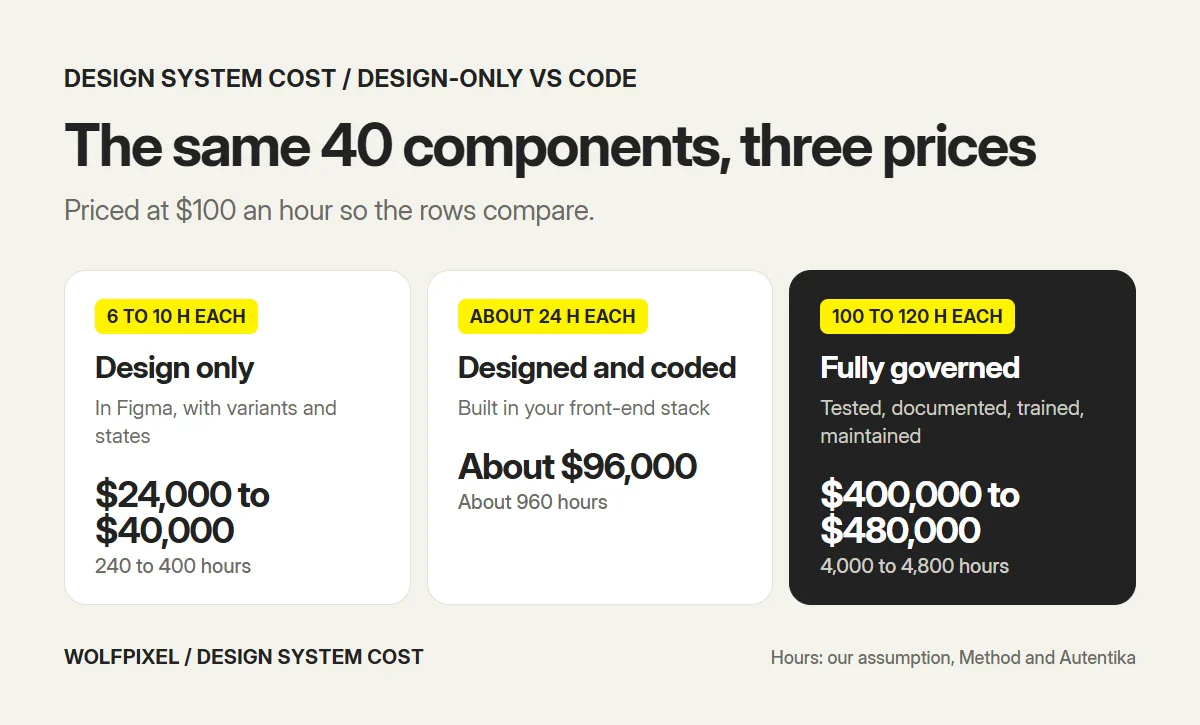
The middle row comes from Method, which estimates 24 hours up front for a design system component: 7 hours of design, 8 of engineering and 9 of setup. The $100 rate is only there to make the rows comparable. Change it to your provider’s rate and the ratios stay the same.
You may notice that the design-only row, at $24,000 to $40,000, is higher than the published $5,000 to $25,000 band for a Figma library. Both can be right. This table is our own illustration at a flat $100 an hour, and it’s there to show the ratio between the three levels of work, not to replace published studio pricing. Studios that publish lower prices work at lower rates, spend fewer hours on each component or include fewer states. At $50 an hour, the same 240 to 400 hours costs $12,000 to $20,000, which is inside the published band.
Component hours aren’t the whole project either. Foundations, documentation and release work sit on top. UX Planet’s worked budget, which uses invented hours and an assumed $150 rate purely to show the calculation, splits a 480-hour first release like this:
| Workstream | Hours | Share |
|---|---|---|
| Inventory and foundations | 60 | 12.5% |
| Component design | 100 | 21% |
| Component implementation | 180 | 37.5% |
| Documentation | 60 | 12.5% |
| Accessibility and behavior checks | 60 | 12.5% |
| Release setup | 20 | 4% |
In that model, building components in code is the single largest line, and design is about a fifth. So the design system implementation cost is usually bigger than the design cost, and a design-only quote and a design-plus-code quote can’t be compared on price. If your developers will build the components themselves, a design-side system with clear specs can be the right purchase. Our guide on how to build a design system covers what each workstream involves.
What pushes a design system quote up
Component count is the obvious driver, but it’s rarely the biggest. These six move a quote more.
- Platforms. RNO1 estimates that a system covering web, iOS, Android and a data-heavy dashboard costs 3 to 4 times more to build and maintain than one scoped to a single web surface. If you ship a mobile app next to the web product, count it as a second scope.
- Migration. Moving existing screens onto the new components is separate work. RNO1 says component-by-component migration adds 40% to 60% to the time and cost of the initial build. Luft gives a blunt illustration: the system costs $50,000, and migrating the product onto it costs $150,000.
- Brands and modes. Light and dark, several brands or white-label clients. With semantic tokens this is manageable, but every mode has to be checked on every component.
- Variants and states. Hover, focus, loading, empty, error and disabled states for each component. A button is quick. A data table with sorting, filters and bulk actions is a small project on its own. AI product features add more, such as streaming, confidence and review states.
- Accessibility level. Guidance notes cost little. Tested WCAG 2.2 AA behavior with keyboard and screen reader checks costs real hours.
- Documentation and governance. A usage page per component is one level. A contribution model, versioning and training are another.
Dense product UI raises the bar on several of these at once, which is why systems for dashboards and web apps cost more than systems for marketing sites. If your product is table-heavy, our guide to dashboard design best practices shows the patterns a system has to cover.
Build your own vs adopt an open-source kit
You don’t have to build from zero. For many teams, the cheapest sensible route is to adopt a well-made kit and put a brand layer on top.
| Adopt a kit | Build a custom system | |
|---|---|---|
| Starting cost | $0 to $8,000 for customization | $5,000 to $180,000 by scope |
| Time to first screen | Days | Weeks |
| Fit to your product | Generic components, themed | Built from the screens you ship |
| Complex components | You build the ones the kit lacks | In scope from the start |
| Look and feel | Similar to other products on the same kit | Your own |
| Upgrades | You follow the kit’s releases | You control the roadmap |
| Best for | Pre-product-market fit, one small team | Several squads, dense or branded UI |
Kits such as shadcn/ui, MUI and Tailwind-based libraries give you accessible basics for free. The cost shows up in three places later. First, the components your product actually needs, such as scheduling views, complex tables or AI states, aren’t in the kit, so you design and build them anyway. Second, heavy customization makes upgrades harder. Third, the product looks like every other product built on the same kit, which matters more in some markets than others.
A good middle path is to adopt a kit for the basics and commission a custom layer for tokens, the components that make your product yours and the documentation that ties them together. Luft prices this at $5,000 to $8,000: two to three weeks of a designer’s time to set typefaces, spacing and color and to design three to five custom components. That is a fraction of a full build.
What it costs to keep a design system alive
A design system is never finished. New features need new components, the framework changes, and somebody has to answer questions. If nobody owns that work, the library drifts from the product within months, and the money spent on it is lost.
Published figures give you three ways to budget:
- As a share of the build. The Brazilian studio Homem Máquina advises reserving 20% to 30% of the initial investment a year for maintenance.
- In hours. UX Planet’s worked budget assumes 32 hours a month for the first year after release.
- In people. In zeroheight’s Design Systems Report 2026, a survey of 147 practitioners, 83% of organizations had a dedicated design system team, and 61% of respondents said their team didn’t have enough people.
Here is what that yearly budget actually pays for:
- Component updates. Fixes, new variants and changes as the product’s needs shift.
- New feature support. New components and patterns for features the first release didn’t cover.
- Figma library maintenance. Keeping the library clean, published and free of detached copies.
- Token synchronization. Making sure a change to a color or spacing value reaches both Figma and code.
- Accessibility regression checks. Retesting contrast, focus and keyboard behavior when components change.
- Documentation updates. Usage rules that match what the components do today.
- Support. Answering questions from designers and developers, and reviewing what they contribute.
For a team of 15 to 60, a dedicated team is unrealistic. What works is a named owner on the design side and one on the engineering side, each with a few protected hours a week, plus a simple rule for how a new component gets added. Decide who those two people are before you sign a build contract. A system with no owner is the most expensive kind.
When a design system pays for itself
The return on a design system is time: fewer decisions made twice, fewer components rebuilt, fewer review rounds about spacing. You can estimate it with one line.
Yearly value = hours saved per person per week × people who build UI × loaded hourly cost × working weeks
Here’s an illustration for a team of two designers and eight developers, at a loaded cost of $70 an hour over 46 working weeks, against a $30,000 build and $6,000 a year of maintenance.
| Hours saved per person, per week | Yearly value | Year-one result after $36,000 of cost |
|---|---|---|
| 1 | $32,200 | $3,800 short |
| 2 | $64,400 | $28,400 ahead |
| 4 | $128,800 | $92,800 ahead |
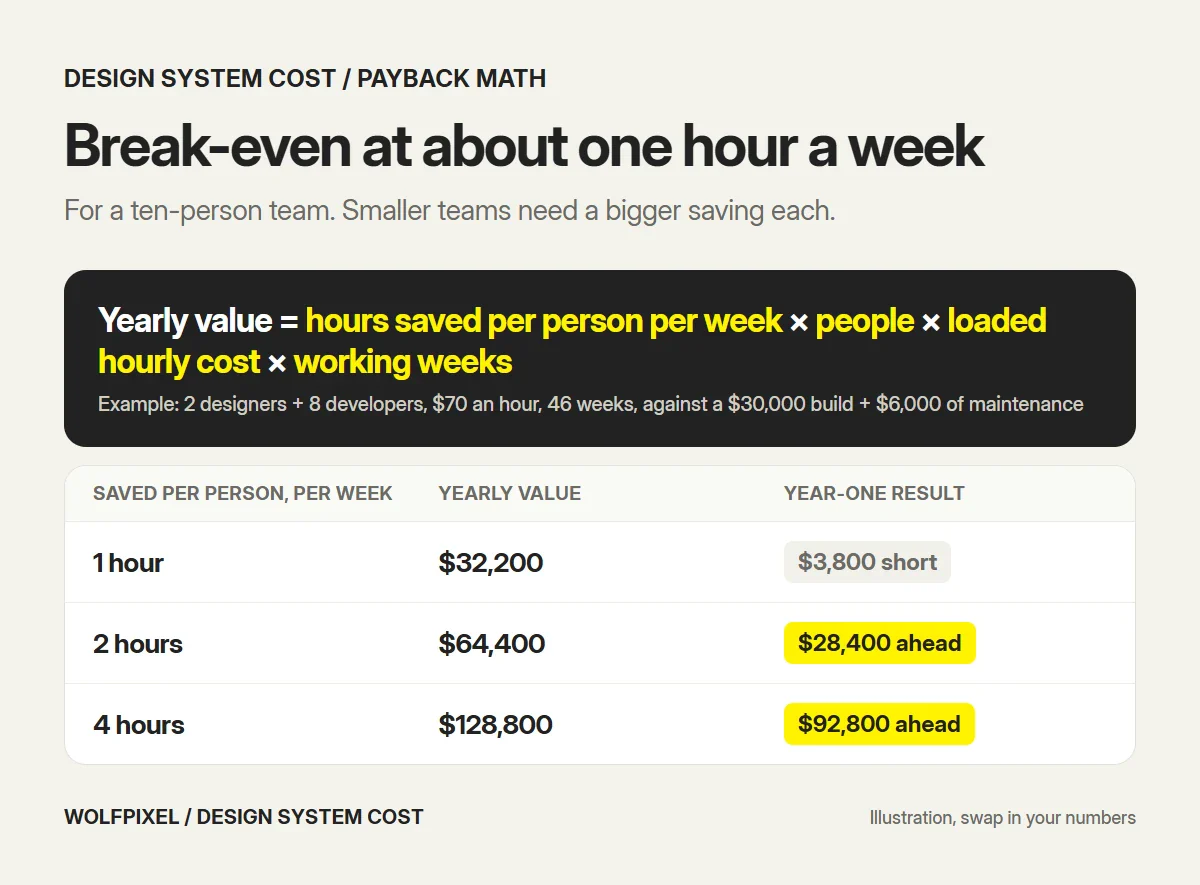
At these assumptions the system breaks even at a little over one hour saved per person per week, and from year two only the maintenance cost remains. Swap in your own headcount and rates. A five-person team needs twice the saving per person to get the same result, which is why very small teams are usually better off with a kit.
Is an hour or two a week realistic? The published evidence says it can be, with caveats:
- Sparkbox timed eight of its developers building the same form page. The median was 4.2 hours from scratch and 2 hours with a design system, which Sparkbox reports as 47% faster. It’s a small test on one simple page.
- Smashing Magazine’s ROI formula averages earlier reports to assume 38% better efficiency for design teams and 31% for development teams. Its example of five designers and ten developers shows a 135% return over five years. It also assumes a system takes at least six months to set up before any gains.
- Method’s estimate is that a component used 35 times takes 490 hours without a system and 164 hours with one.
All three are models or small samples, not guarantees. The gains only arrive if people use the system, so adoption matters more than the quality of the library. That’s the reason we don’t call a system finished until developers have shipped a screen with it.
When it’s too early for a design system
Sometimes the right budget is close to zero. Hold off on a custom build if:
- You have one designer and one product. There’s nobody to be inconsistent with yet.
- The product has fewer than about 30 to 40 screens. DesignShare puts the point where a product shows its own patterns somewhere past that.
- You’re still before product-market fit and the product changes shape every month. Components built now will be thrown away.
- You can afford the build but not the migration or the upkeep. A system nobody adopts returns nothing.
In those cases, adopt a kit, keep color, type and spacing as variables from day one and write down each decision as you make it. That gives you most of the consistency for almost none of the cost, and it makes a real system cheaper to build later.
The signals that it’s time are easy to spot: a second designer joins, two squads ship UI in the same week, developers ask for spacing values in every handoff, or reviews are spent on font sizes. If your product already shows these problems and the interface itself needs rework, a design system is often built as part of a SaaS redesign. If you aren’t sure how inconsistent the product is, a UX audit includes a UI consistency review, and our guide to UX audit cost explains what that costs.
Design system agency pricing: what a quote should list
Design system agency pricing is hard to compare because every agency scopes the work differently. A good quote reads like an inventory. If any of these ten items is missing, ask for it in writing.
- Components by name. A list, not a count.
- Variants and states for each. Sizes, hover, focus, loading, empty, error, disabled.
- Tokens and modes. Light, dark and each brand, and how they’re structured.
- Platforms. Web only, or mobile as well.
- Figma only, or code too. And if code, which framework and who writes the tests.
- Accessibility level. Guidance, or tested behavior against WCAG 2.2 AA.
- Documentation. What gets written, and where it lives.
- Proof on a real screen. Whether the system is tested on a feature of your product.
- Migration and rollout. Who moves existing screens, and what training is included.
- After handover. Revisions, ownership of files and the cost of adding components later.
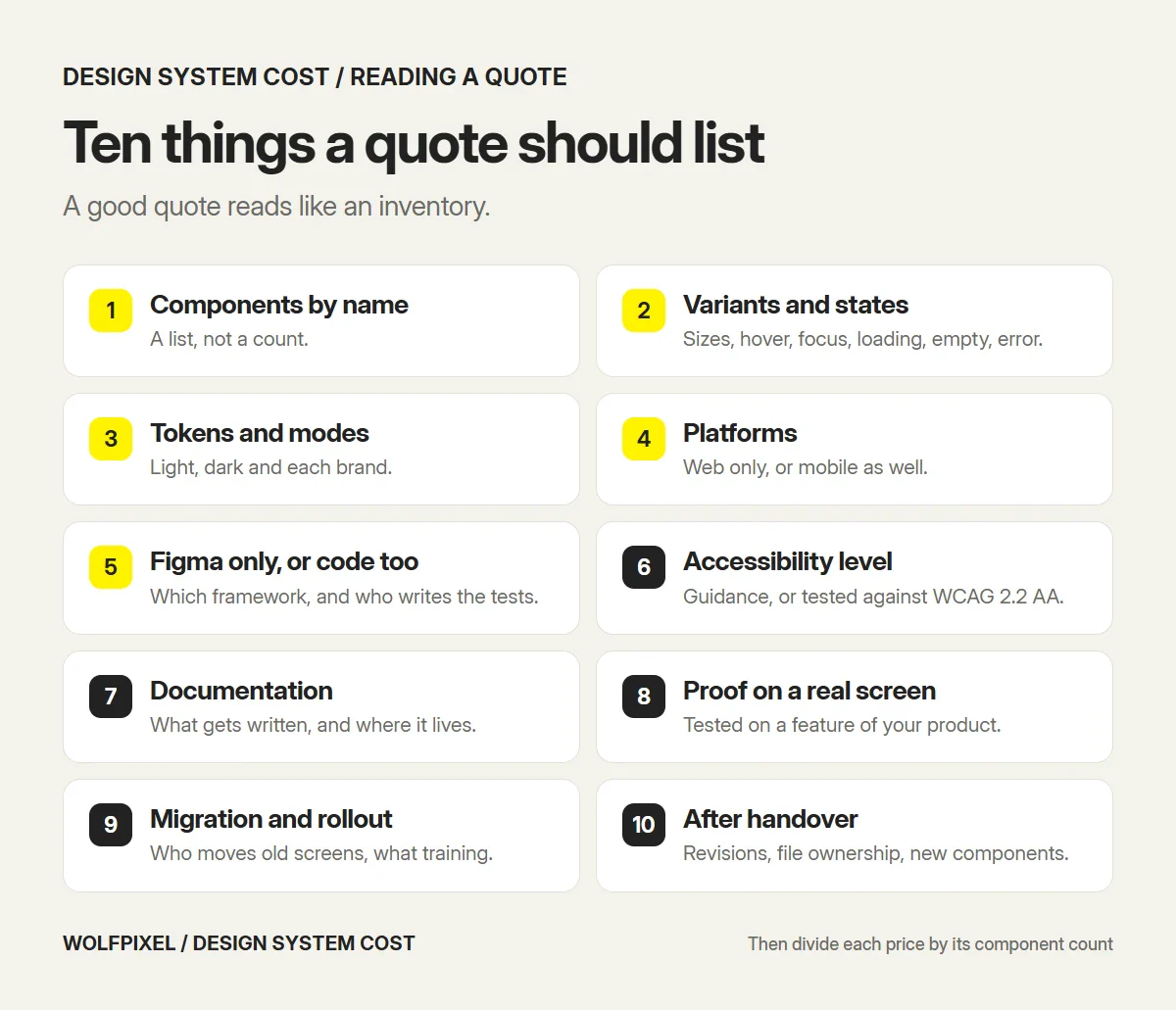
To compare two quotes, divide each price by its component count, then check the level of work using the four definitions earlier in this guide. A $15,000 quote for 60 Figma components is $250 each. A $45,000 quote for 30 coded and tested components is $1,500 each, and it may still be the better deal if your developers don’t have time to build them.
Three warning signs are worth acting on:
- A component count with no list behind it.
- “Design system” used for what is a UI kit: components with no tokens, states or documentation.
- No mention of who maintains the system after delivery.
If you’re also deciding who should do the work, our comparison of a design agency vs freelancer vs in-house team covers the trade-offs for long-running projects like this one.
What a design system costs at Wolfpixel
Our design systems start at $12,000 and take 3 to 12 weeks. The price is fixed before we start.
What the starting price is for. The $12,000 starting point is a foundations scope for one web product and one brand: tokens and Figma variables with light and dark modes, the core component set with its states, documentation and one pilot feature. Three things raise the price from there: a longer component list, a second platform such as a mobile app, and extra brands or white-label modes. Your written quote lists the components by name, so you can see exactly what the number covers.
The scope is the design side of the system, aligned with your code:
- A UI audit of the screens, components and styles you already ship.
- Design tokens for color, type, spacing, radius, elevation and motion, exported as token JSON.
- Figma variables with light, dark and brand modes.
- Core components with every variant and state, and patterns for forms, tables, filters and empty states.
- Documentation with usage rules, examples and accessibility notes.
- Token names and component specs matched to your front-end stack, plus a rollout plan and team training.
We build the system while designing your next real feature, so every component has met real data and a real handoff before it goes into the library. The project closes when your developers have shipped a screen built from it.
You can see the approach in two case studies. For AQARI, a real estate investment app, the system had to work in Arabic and English, so right-to-left and left-to-right components were built as true pairs instead of mirrored at the end. For Core.hr, one system holds together the web dashboards managers use and the mobile app employees use, delivered as a Figma library with dev-ready files.
Coded components and Storybook setup aren’t part of the standard scope. Your developers can build from the specs, or we can add coded components as a package. A full product redesign is also separate, and continues as a UI/UX design project with the same team. If your brand rules need work before the product does, brand guidelines come first, and the system builds on them.
Senior product designers with 5+ years of experience build every system, and we sign an NDA before you share files. To get a number for your product, start from our design system services page. You’ll have a written quote after a free 30-minute call or within 4 business hours.
Sources and method
We reviewed every source below in November 2026. Prices are quoted as published and may have changed since.
Published prices and scopes
- Luft: startup design system guide, for prices by stage and scope, kit customization and the migration example.
- BAMN: design systems for growing companies, for startup-scale pricing.
- DesignShare: design system cost, for library tiers by component count.
- RNO1: design system cost, for growth-stage and enterprise tiers, and the platform and migration multipliers.
- VITON13: how much does a design system cost, a comparison of published studio prices.
- Homem Máquina: quanto custa um design system, for the yearly maintenance share.
Hours, effort and research
- Method: time savings of component libraries, for hours per component.
- Autentika: how much is a design system, for the hours-based estimate.
- Cory LaViska: design systems aren’t cheap, for the in-house team account.
- UX Planet: design system cost, for the workstream split and maintenance hours.
- zeroheight: Design Systems Report 2026, for team and staffing data.
- Sparkbox: design system ROI and Smashing Magazine: the ROI of a design system, for efficiency evidence.
Our own estimates
- The cost per component column, which divides published prices by published component counts.
- The 40-component comparison at $100 an hour, including the 6 to 10 hours for a design-only component.
- The payback example for a ten-person team.
- Wolfpixel’s starting price and scope, which come from our own pricing page.
Design System Cost FAQs
How much does a design system cost?
Published 2026 prices run from about $5,000 to $600,000 or more. A Figma library with tokens and core components usually costs $5,000 to $25,000, a system that is designed, coded and documented $15,000 to $180,000, and an enterprise system across several products and brands $100,000 to $600,000 and above. The gap comes from scope, not from overcharging.
Why do design system quotes vary so much?
Because providers price different things under the same name. A design-only component takes a few hours, a designed, coded and tested one about 24 hours in one published estimate, and a fully governed enterprise component 100 to 120 hours in another. Multiply by 40 components at $100 an hour and the same list costs $24,000 or $480,000.
How much does one design system component cost?
From published prices, a component costs about $100 to $400 in a design-only Figma library, $500 to $1,600 when it is designed and coded, and $6,000 to $7,200 when design, development, testing, documentation and training hours are all counted. An in-house team in one published account worked out to roughly $37,000 per component.
What is the difference between a design system, a UI kit and a component library?
A UI kit is a set of ready-made components in a design tool. A component library is the same set built in code. A design system includes both, plus the tokens behind them, every state and variant, usage rules, documentation and someone who owns it. That extra work is why a design system costs more than a UI kit.
How much does a design system cost for a startup?
One published stage guide puts a pre-seed team on an open-source kit at $0 to $5,000, a seed-stage foundation system at $15,000 to $25,000 and a Series A production system at $40,000 to $80,000. A design-side system from a studio usually costs $5,000 to $25,000.
How long does it take to build a design system?
Published timelines range from 3 to 4 weeks for foundations and 20 to 30 components, to 6 to 10 weeks for a production system and 12 to 18 months for an enterprise program. Wolfpixel design system projects take 3 to 12 weeks, depending on scope and the size of the pilot feature.
How much does it cost to maintain a design system?
Plan for maintenance every year. One published studio budget is 20% to 30% of the build cost a year, and one worked model assumes 32 hours a month. In zeroheight’s 2026 survey of 147 practitioners, 61% said their design system team does not have enough people.
Is it cheaper to adopt an open-source design system?
Yes, at the start. Kits such as shadcn/ui and MUI are free, and one studio prices basic customization of an open-source kit at $0 to $5,000. The costs arrive later, as custom components the kit does not cover, upgrade work and a product that looks like others built on the same kit.
When is it too early to build a design system?
It is too early when you have one designer, one product and fewer than about 30 to 40 screens, or when the product is still changing shape before product-market fit. At that stage, adopt a kit, keep color, spacing and type as variables and write down decisions as you make them.
Does a design system pay for itself?
It does when enough people build UI every week. Multiply the hours each person saves per week by the number of people, their loaded hourly cost and working weeks, then subtract the build and maintenance cost. For a ten-person team in our example, the system breaks even at a little over one hour saved per person per week.
How much does a design system cost at Wolfpixel?
Wolfpixel design systems start at $12,000 and take 3 to 12 weeks. The starting price is for one web product and one brand. More components, platforms, brands and modes raise it. The scope covers tokens, Figma variables, components with every state, patterns, documentation and code alignment, built on a real feature. You get a written quote after a free 30-minute call or within 4 business hours.
Want a fixed price for your design system?
Tell us about your product, team and stack. A senior designer replies within 4 business hours with the scope and a written quote, and we’re happy to sign an NDA before you share anything.

Was this article helpful?

Written by
Maniruzzaman Jubayer
Co-founder & COO | Product Design Specialist at Wolfpixel
Maniruzzaman Jubayer is Wolfpixel’s Co-founder & COO and a product design specialist with 7 years of experience. He personally oversees website, app, dashboard and digital product design at Wolfpixel. Wolfpixel has built design systems for products such as AQARI and Core.hr. This guide compares published design system prices and explains the scope, hours and maintenance behind a quote. Wolfpixel offers the design system services discussed in the article.
View all articles